
7 Dash Social Alternatives You’ll Wish You Tried Sooner
Explore 7 standout alternatives that make managing, scheduling, and analyzing content easier than ever if Dash Social is not hitting the mark.

There is no shortage of social media tools out there, and for a while, Dash Social (formerly Dash Hudson) was a go-to for many brands in fashion, beauty, and lifestyle.
It’s sleek, polished, and offers features like content performance tracking and influencer insights in a user-friendly interface. But if you’ve been using it regularly, you might have noticed a few cracks beneath the surface.
One common frustration is the depth of available analytics. The reports look good, but they lack the detail needed to make a strategic call. If you’re managing multiple platforms or reporting to a larger team, you’ll likely find yourself needing more.
The publishing and scheduling tools can also feel limited. Planning content, handling approvals, or coordinating across channels isn’t as smooth as it could be. For teams working at a breakneck pace, that friction adds up quickly.
If any of this sounds familiar, you’re not alone. A growing number of teams are realizing that Dash Social might not be the right fit anymore, and are actively looking for alternatives that promise more flexibility, better reports, and a price that makes sense.
Below we’ll introduce the best Dash Social alternatives to check out. Let’s get started.
- Supports: Facebook, Instagram, Twitter (X), LinkedIn, YouTube, TikTok, Snapchat, Google Ads
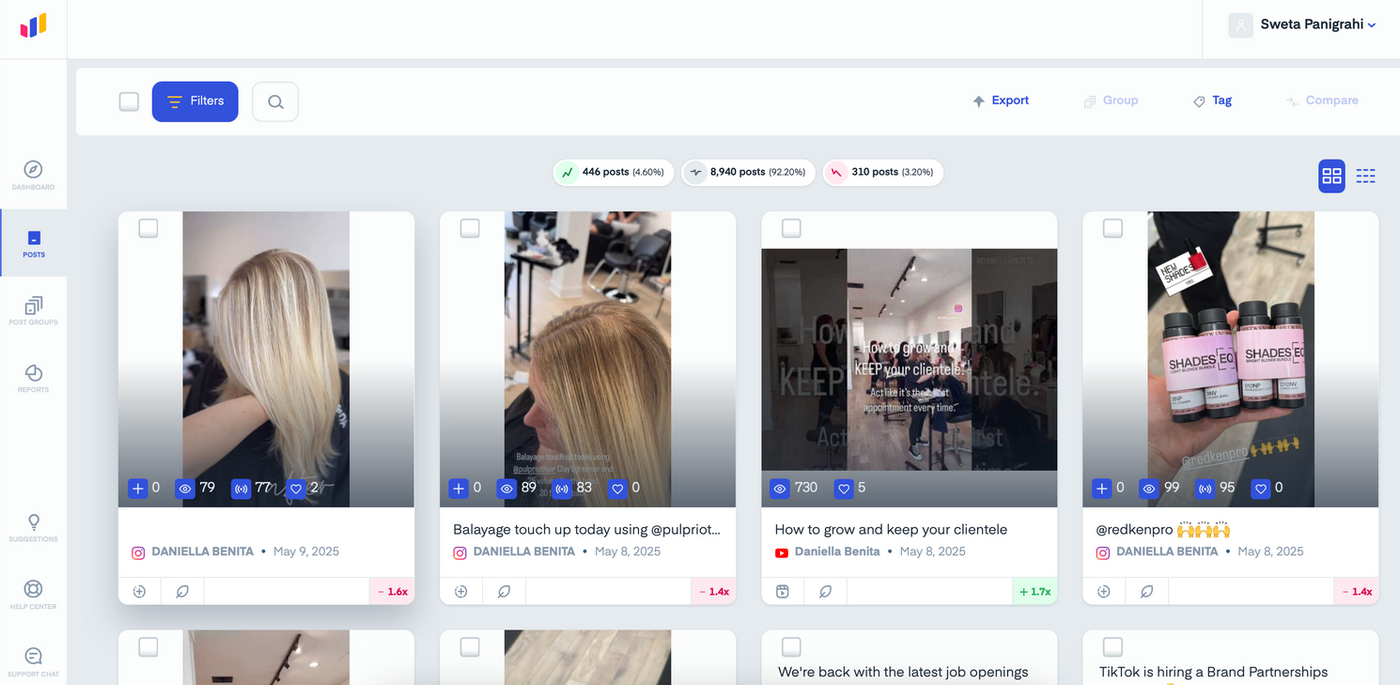
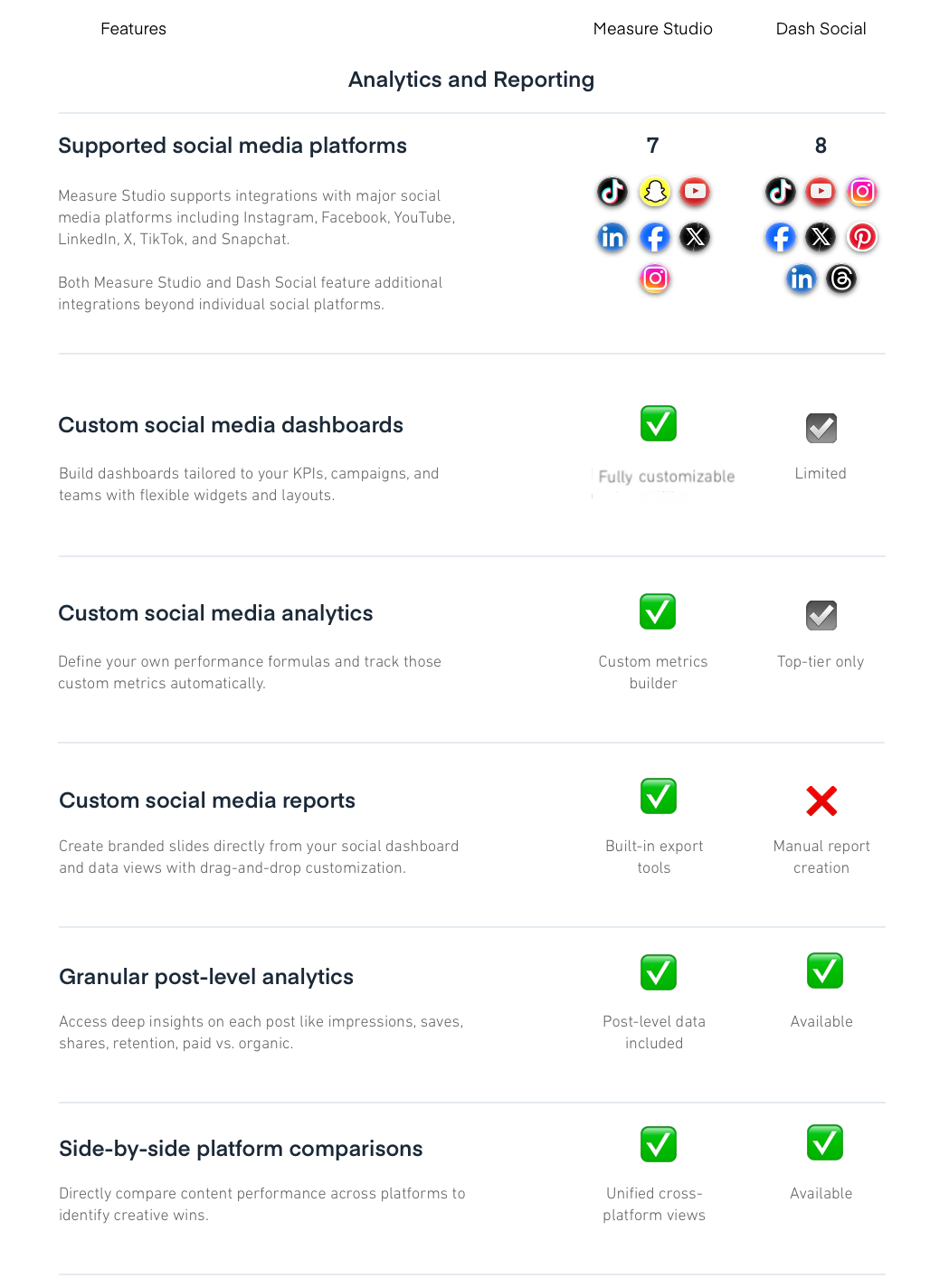
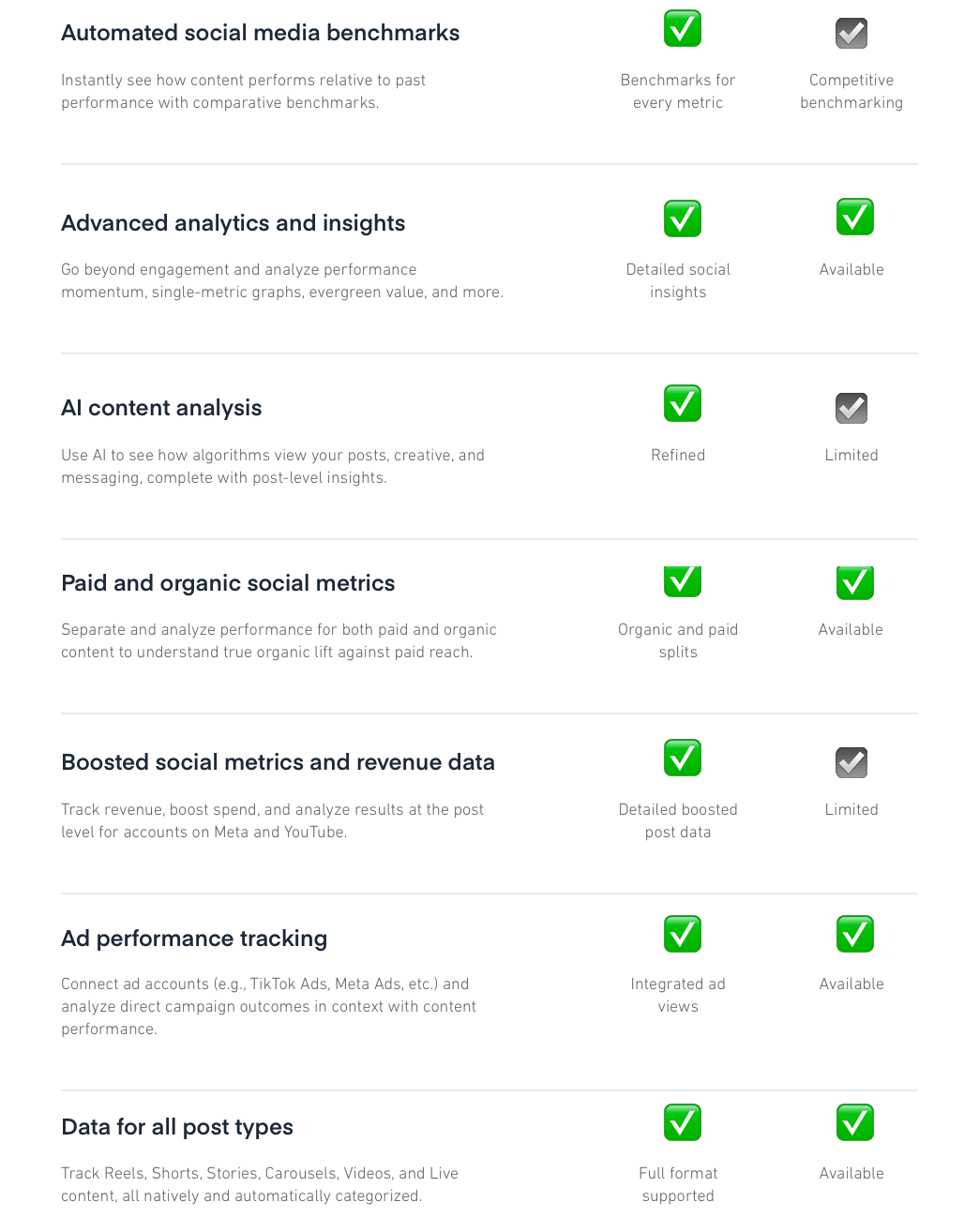
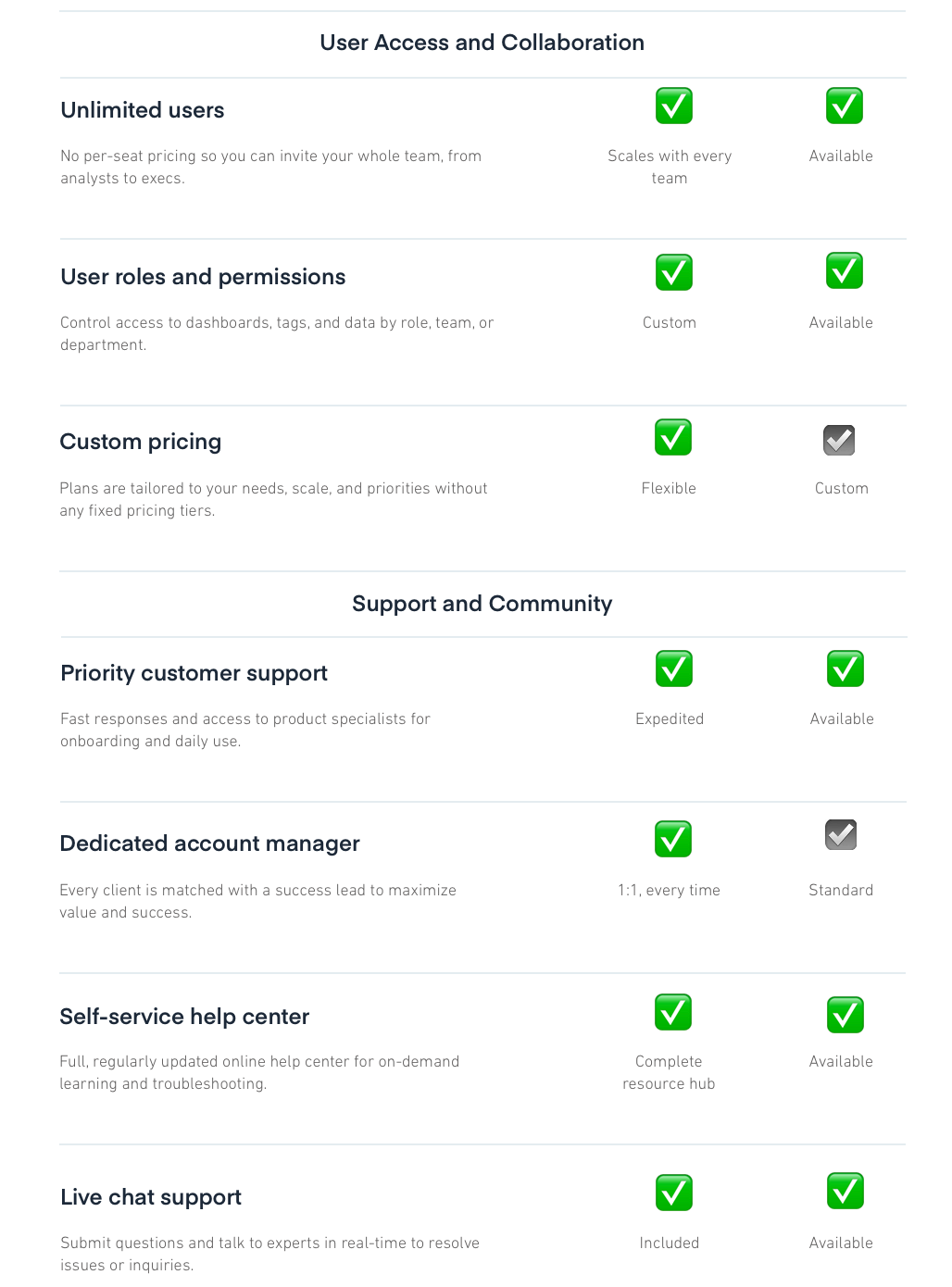
- Post-level performance comparisons
- Custom metrics tailored to your strategy
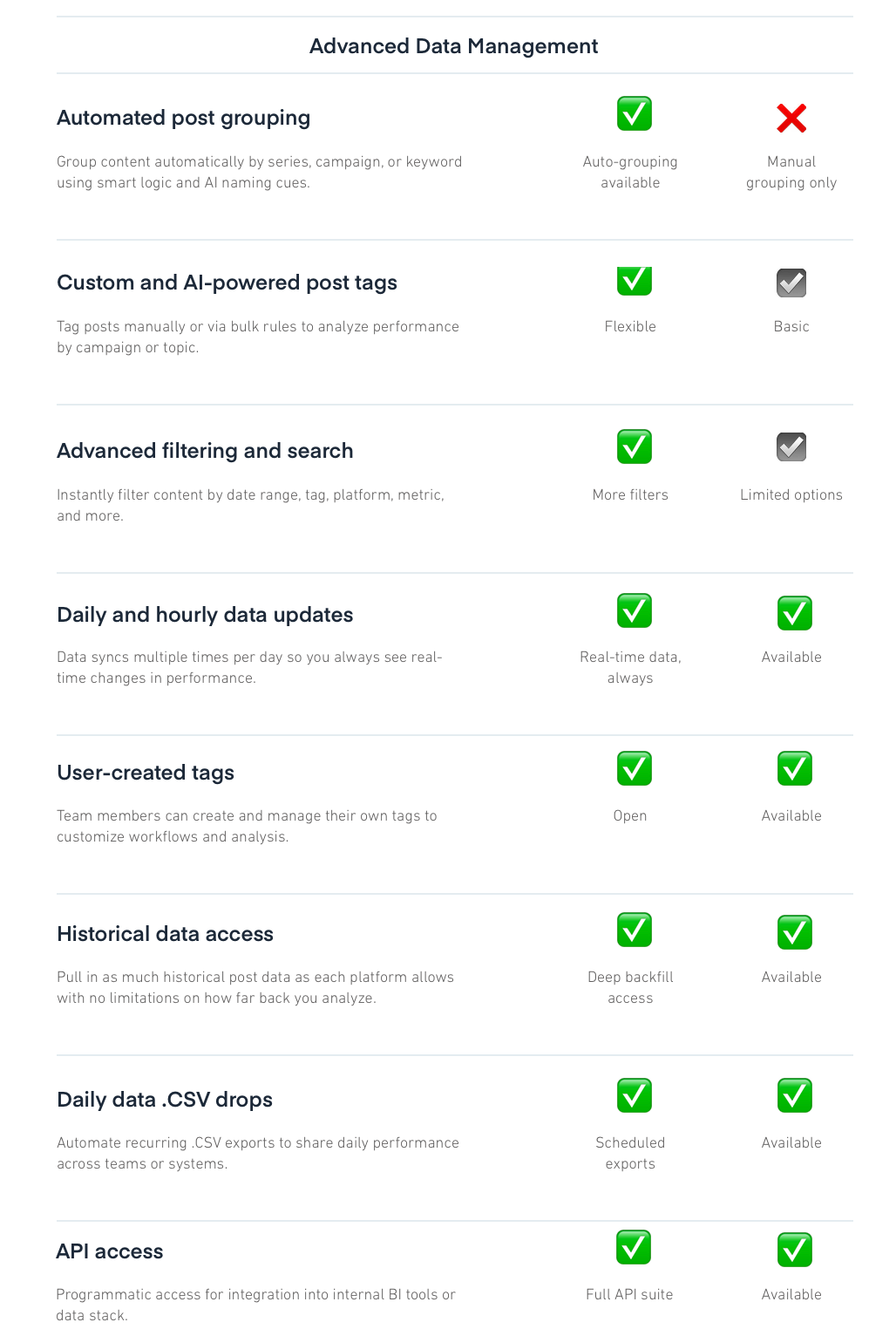
- Smart tagging and auto-grouping
- Paid and organic in one view
- Presentation-ready reports in seconds
- Cross-platform insights that actually compare content
- Supports: Facebook, Instagram, LinkedIn, X (formerly Twitter), TikTok, YouTube, Threads, Pinterest, Google Business Profile, Bluesky, Telegram, Mastodon
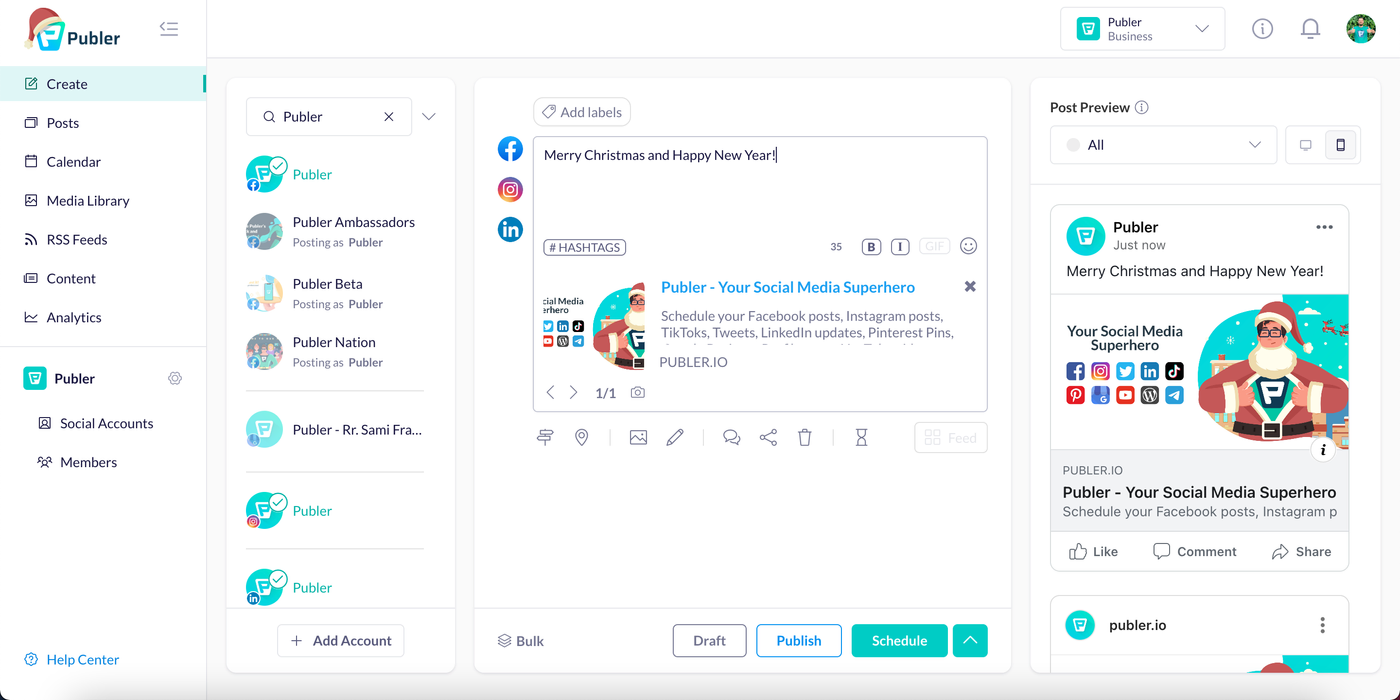
- Visual drag-and-drop calendar for intuitive planning
- Bulk scheduling across multiple social platforms
- AI assistant to write, rephrase, or generate captions
- Built-in Canva and VistaCreate integrations for easy design
- Post preview for every platform before publishing
- Workspaces to manage multiple brands or clients
- Auto-scheduling based on best times to post
- Built-in link in bio tool to optimize Instagram traffic
- Supports: Bluesky, Facebook, Instagram, LinkedIn, X (formerly Twitter), TikTok, YouTube, Pinterest, Threads, Google My Business, Mastodon
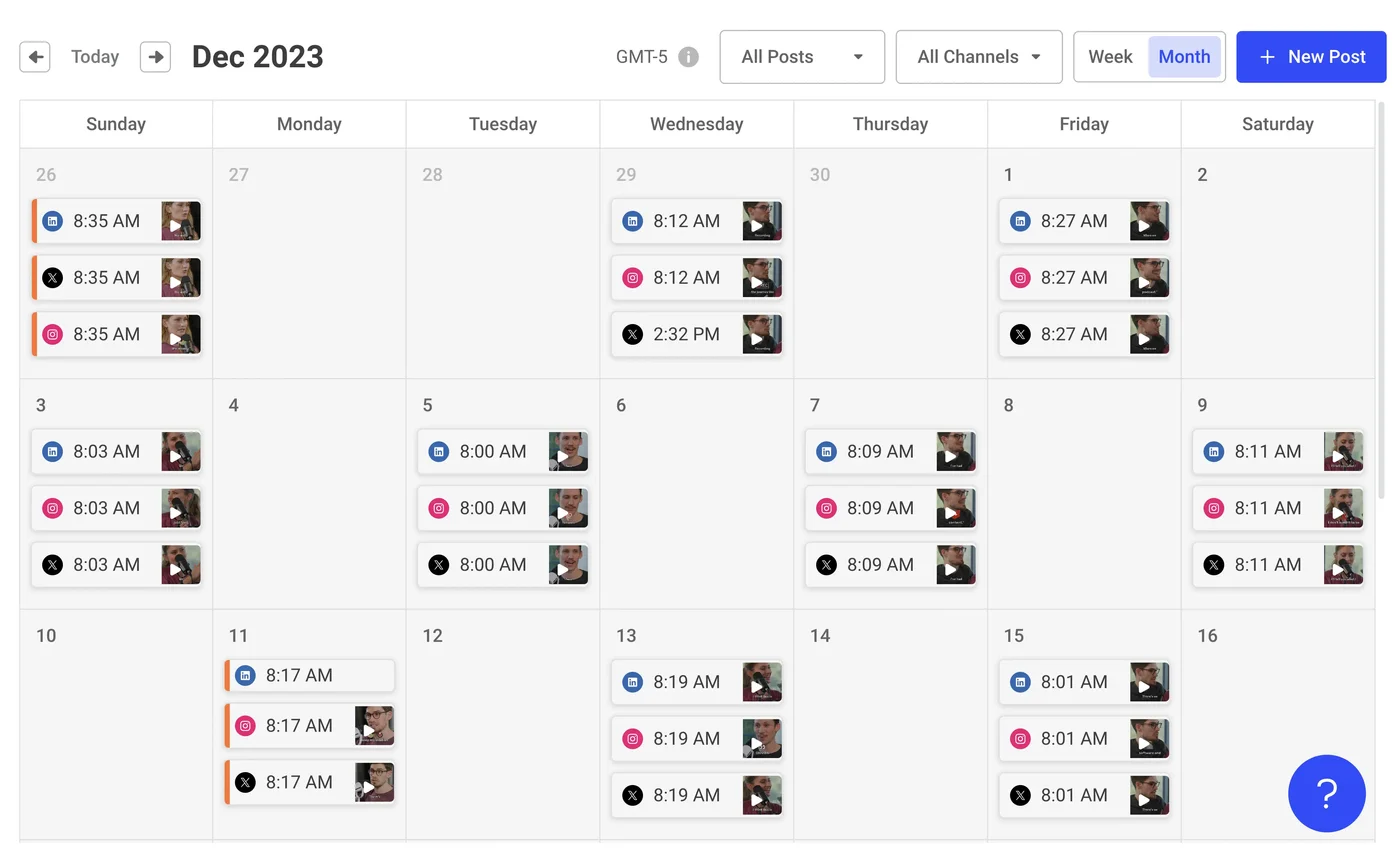
- Easy scheduling for Facebook, Instagram, LinkedIn, X, Pinterest, and more
- A visual calendar to clearly map out content
- Engagement tools to manage comments and messages in one place
- Built-in link-in-bio tool to optimize Instagram traffic
- Custom post previews for each platform
- Approvals and team roles for simple collaboration
- Integrations with Canva, Google Drive, and Dropbox
- Supports: Facebook, Instagram, LinkedIn, Twitter (now X), YouTube, LinkedIn, Pinterest, TikTok, Threads, Bluesky, Mastodon, Google My Business
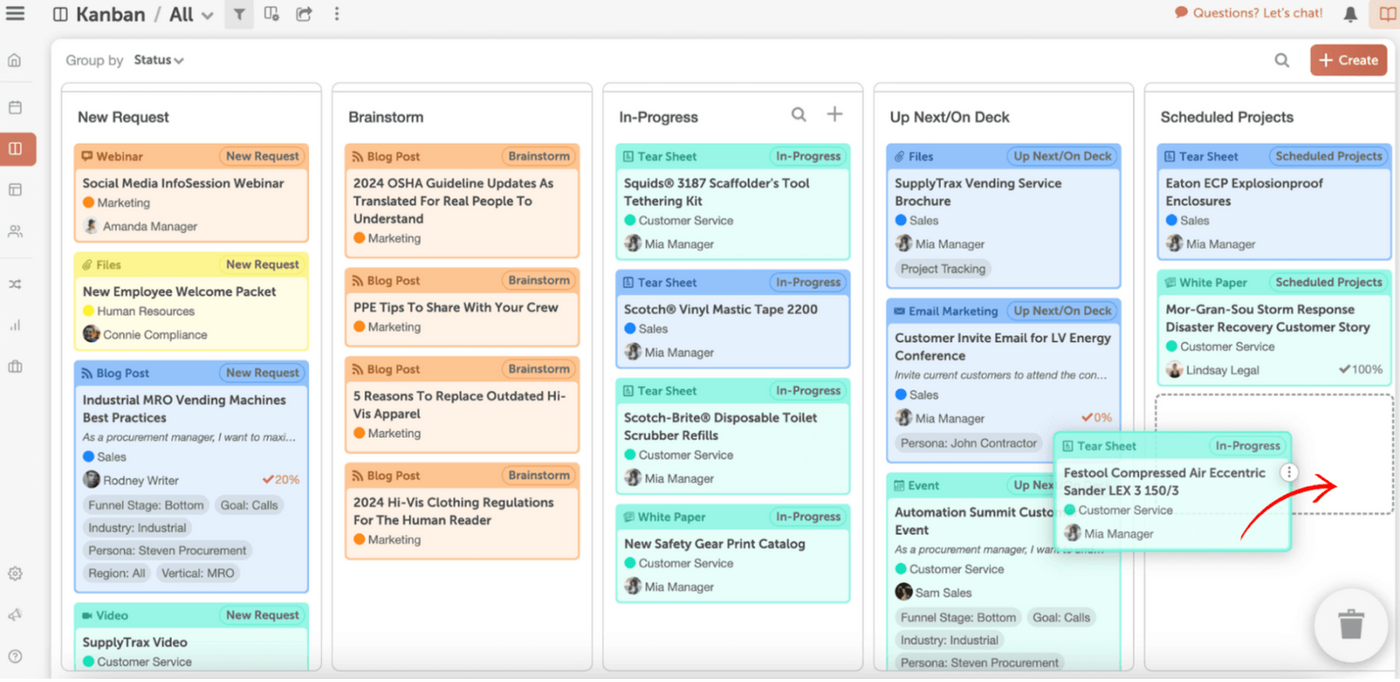
- Unified Marketing Calendar to manage all content types in one view
- AI Social Assistant to help write and optimize social copy faster
- ReQueue automation to reshare your top-performing posts automatically
- Best Time Scheduler to publish when your audience is most active
- Social Inbox to manage all messages and comments from one dashboard
- Customizable reporting to track campaign performance and ROI
- Built-in workflows, task assignments, and approval tools
- Integrations with tools like Canva, Google Drive, WordPress, and more
- Supports: Facebook, Instagram, Twitter, TikTok, LinkedIn, YouTube, Threads, Reddit. Pinterest, Google My Business, Bluesky, Mastodon, Trustpilot
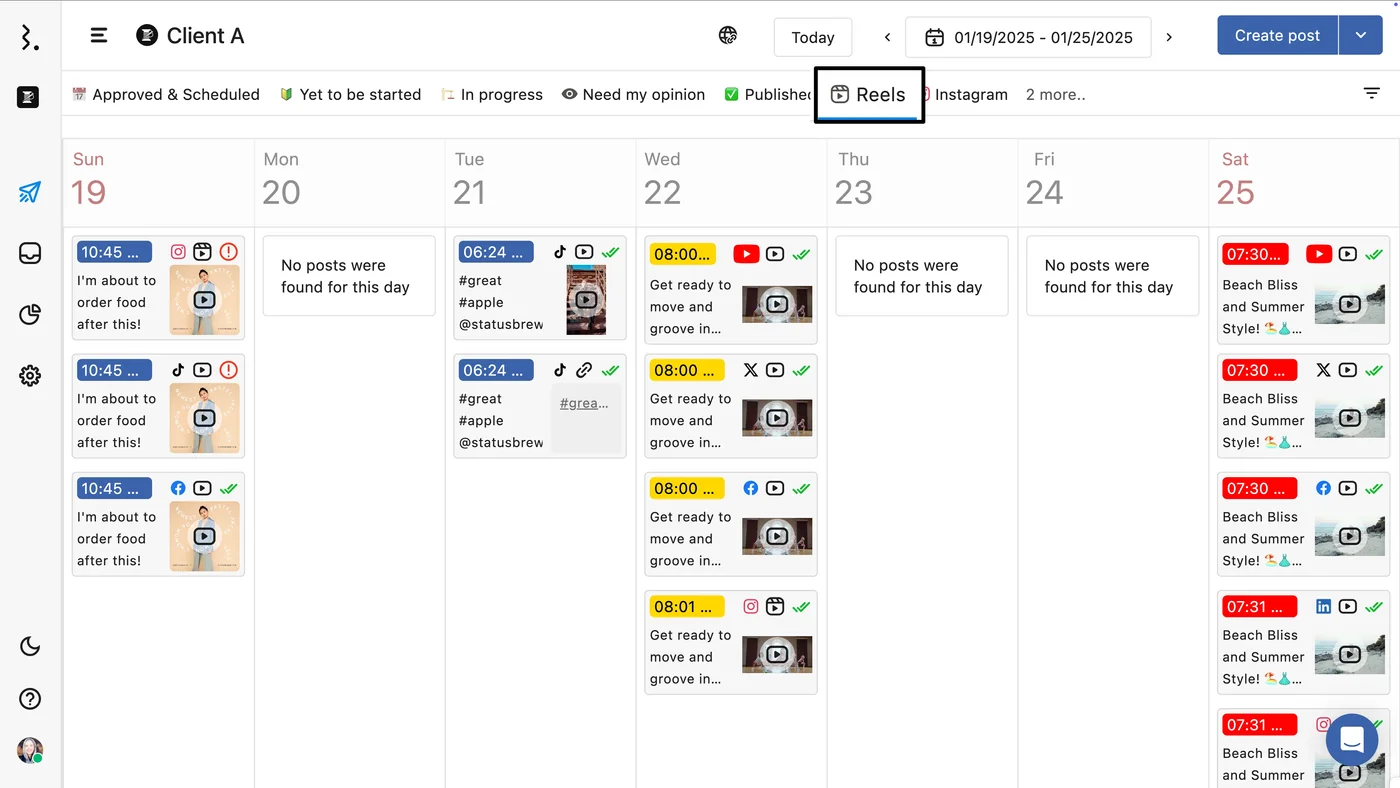
- Central inbox for all messages, comments, and reviews
- Dedicated workspaces and user roles for client or brand management
- Approval workflows and task assignments for team collaboration
- Support for TikTok, Instagram, LinkedIn, Facebook, YouTube, X, Pinterest, and Google Business
- AI-powered writing suggestions, custom reporting, and sentiment analysis
- Integrations with tools like Salesforce and HubSpot
- SOC 2 Type 2 and GDPR-compliant for data security
- Supports: X (formerly Twitter), Instagram, Facebook, Google My Business, LinkedIn, YouTube, Pinterest, Mastodon, TikTok
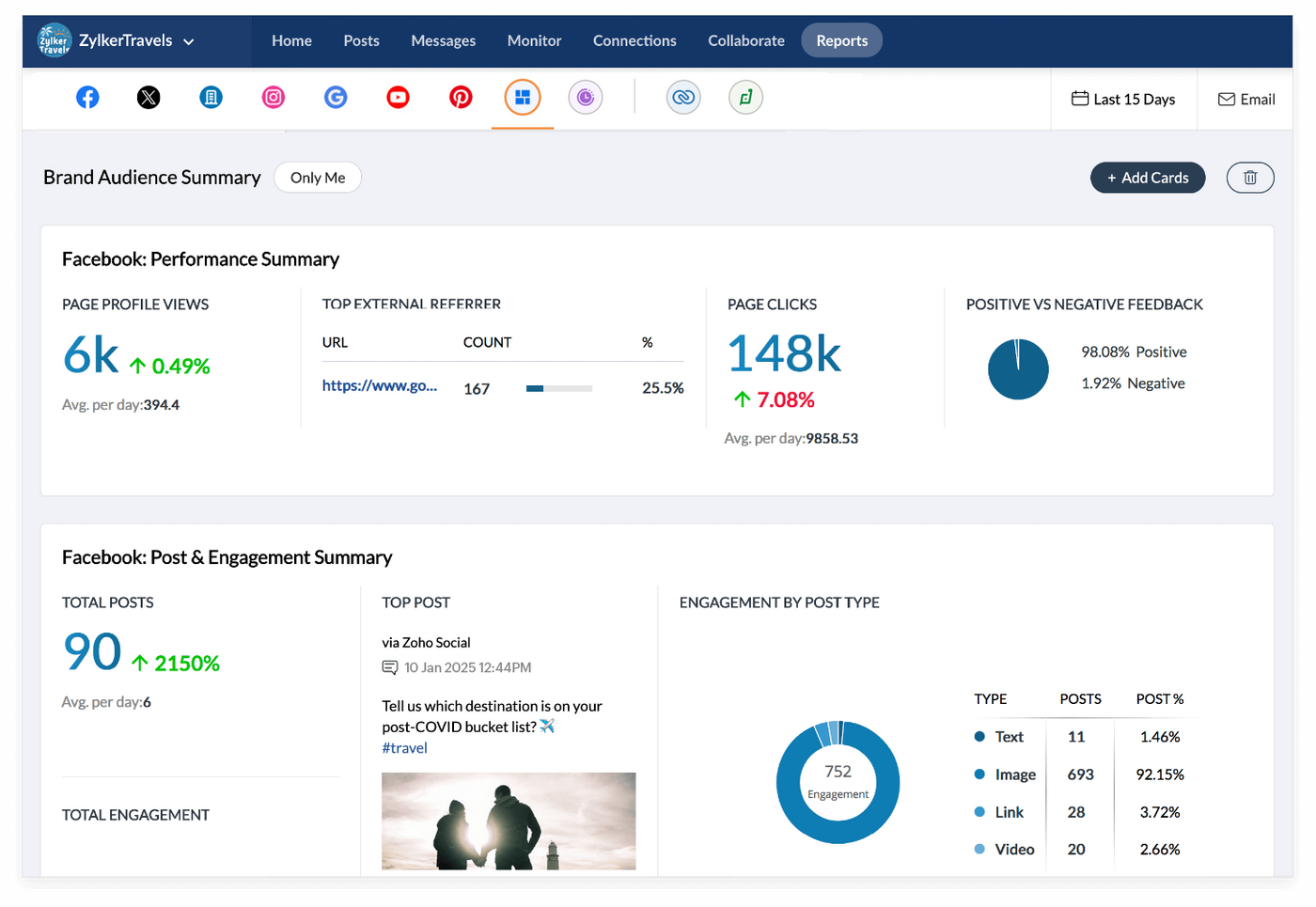
- Unified inbox to manage messages and mentions in one place
- Approval workflows to keep content on brand and on schedule
- Smart scheduling that picks optimal posting times
- Custom reports with detailed metrics for performance tracking
- CRM integration for capturing and managing leads from social
- Team collaboration with clear roles and permissions
- Media library for easy content access and organization
- Browser extension for quick content sharing from anywhere
- Supports: LinkedIn, Pinterest, Facebook, Reddit, Instagram, Twitter, YouTube, Google My Business, WeChat, Whatsapp
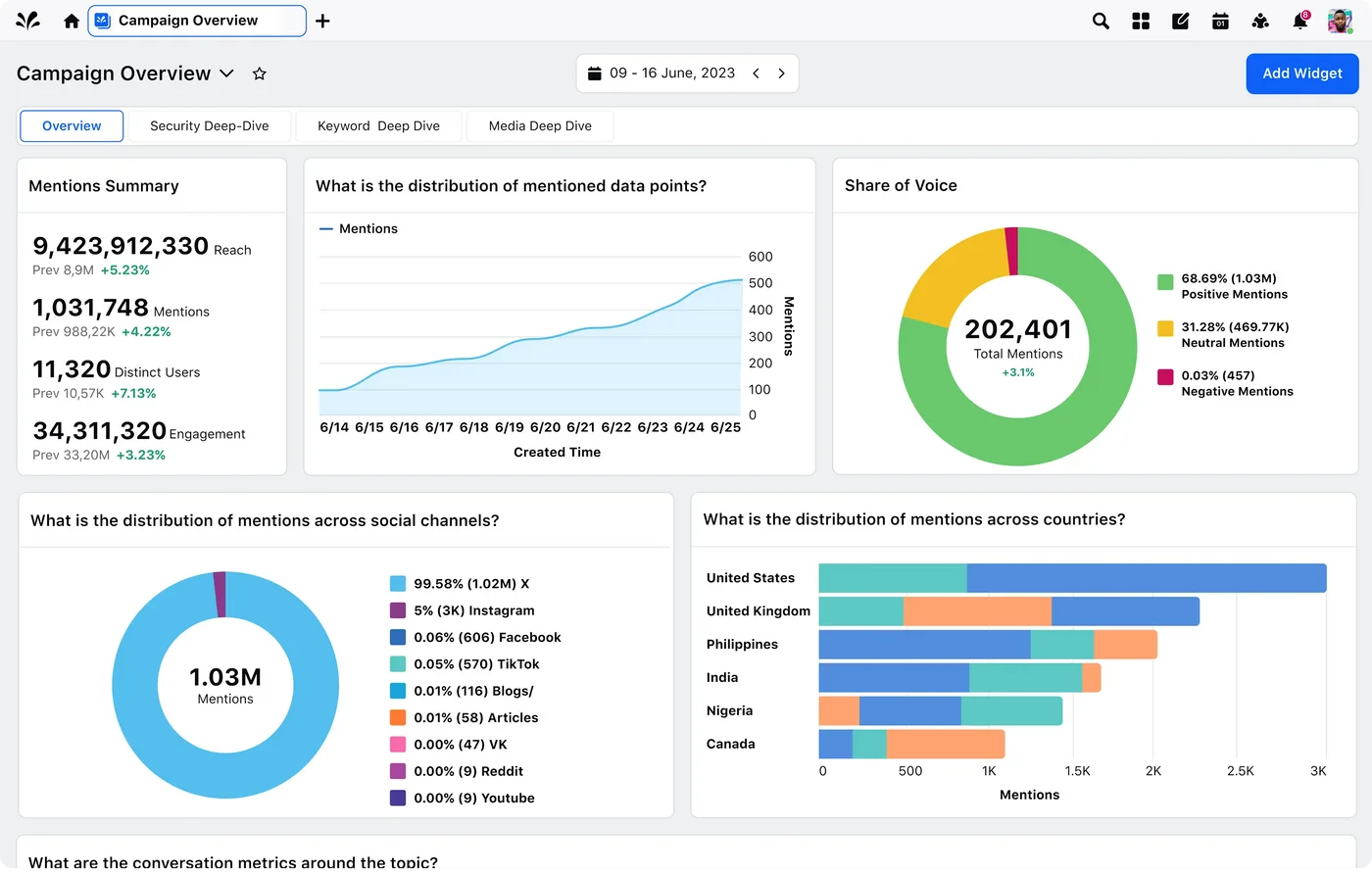
- Real-time social listening to monitor brand sentiment and trends
- Unified engagement across social platforms, messaging apps, and review sites
- Content scheduling and approval workflows to streamline collaboration
- Custom reports and dashboards that show performance across channels
- Customer service tools to manage large volumes of inquiries
- Integrations with CRM, marketing, and analytics tools
- Enterprise-level security and compliance for large organizations
Wrapping up
We’ve all been there. Investing in a social media tool, only to find your team struggling to get the data and workflows they actually need. It’s frustrating, time-consuming, and feels like money wasted.
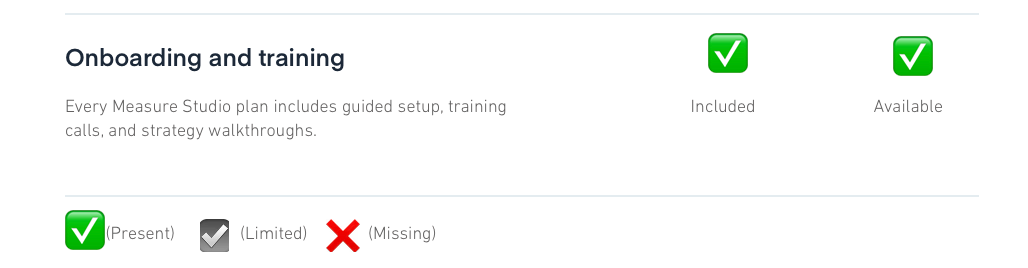
Measure Studio is different. It’s so easy to use that your team can start working with it from day one. It gives you custom metrics and readymade reports to see what’s working without getting lost in complicated dashboards.
If you want a tool that fits how social teams actually work and makes reporting simple, give Measure Studio a try.
Get started with Measure Studio today.
Frequently Asked Questions
Why should I consider switching from Dash Social to another tool?
If you’ve been using Dash Social, you might have noticed the analytics aren’t as deep as you’d like, or the scheduling and publishing tools can feel a bit clunky for fast-paced teams. Switching to alternatives like Measure Studio can give you more detailed reports, smoother workflows, and better pricing that fits your needs.
Can these alternatives handle multiple social platforms and teams?
Absolutely! Most of the alternatives we covered support multiple platforms like Instagram, Facebook, LinkedIn, Twitter (X), TikTok, and more. They also offer team collaboration features such as approval workflows, role assignments, and workspace management to keep your social media operations smooth and organized.
Is it hard to switch to a new social media tool?
Switching tools can feel daunting, but many of the Dash Social alternatives are built for ease of use. For example, Measure Studio is so user-friendly that your team can start using it from day one without lengthy onboarding. Measure also provides tutorials and support to make the transition smooth.