
What's New in Measure Studio: New Features and Updates from Q4 2025
New features and product updates from Measure Studio's social media analytics and intelligence services platform in Q4 of 2025.
As we say goodbye to another productive year, it’s time to look back at all the new features, updates, and innovations that the Measure Studio team pushed across the finish line these past three months.
For us, Q4 represented an exciting leap forward, as we launched a handful of powerful new features (Audience, Content Widgets), quality of life improvements (more export options), and new metrics to keep you current with all the latest platform changes.
So, for the final time in 2025, here’s what’s new!
Audience and Content widgets deliver deeper insight ⚙️
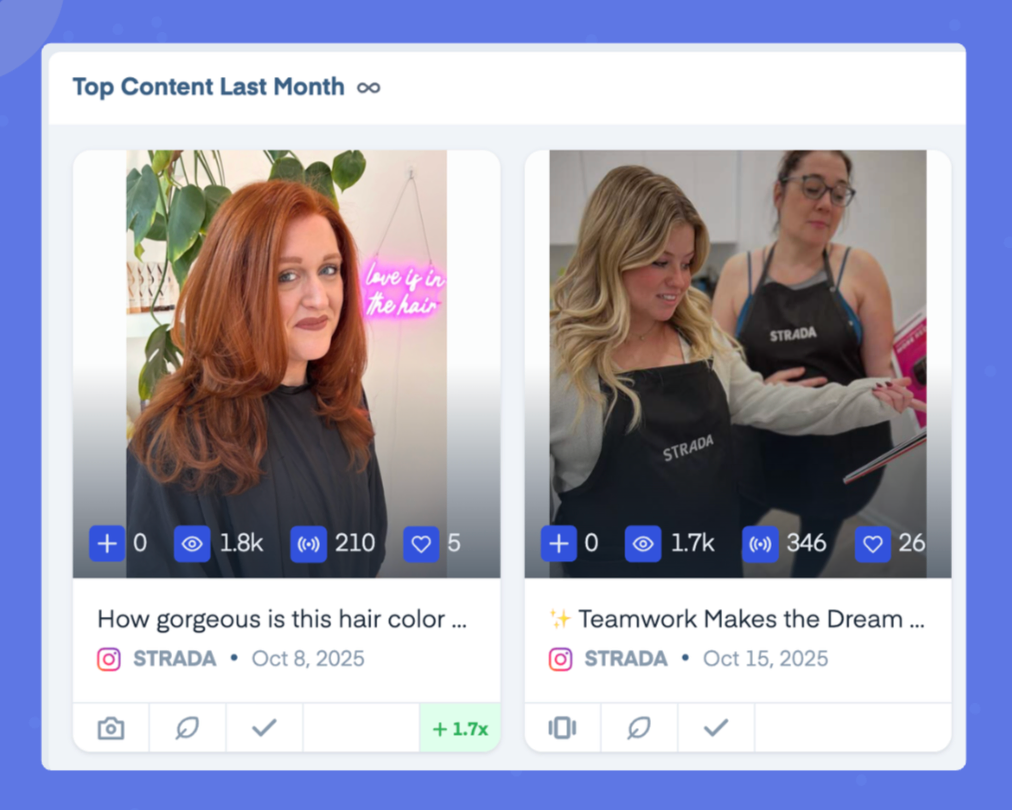
Audience and Content widgets pinpoint top formats and trends in your content. This makes it easier to understand what’s performing well and where to focus your content strategy.
🐾 Track both Group and Account averages
📌 Pinpoint top performing formats
⚠️ Spot trends and outliers
Audience and Content widgets show social managers how they’re performing compared to the competitor brands and industry benchmarks that matter most.
Customize arrangement of metrics on social reports 👩💻
You can now freely rearrange metrics across all slide types, giving you more control over how your data is presented (and keeping those executives happy).
More permission management options for Targets 🎯
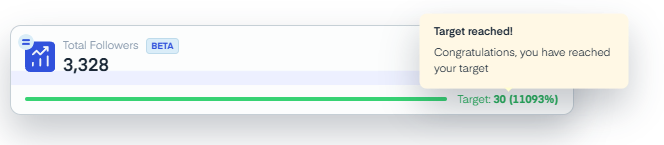
Targets are an easier way to set specific goals and track against them. Whether you’re aiming for higher engagement, follower growth, or reach, Targets help you stay focused and see progress at a glance.
And now, Admins have more freedom when managing Targets permissions, allowing specific team members to create, edit, or view performance targets.
Export current Table View from Posts ➡️
Quickly export the same view you’re used to working with in the Posts section, including filters, sorting, and everything else, into a clean downloadable file.
Now, what you see is what you get.
New Notifications Center presents an even cleaner approach to your social media dashboard 📢
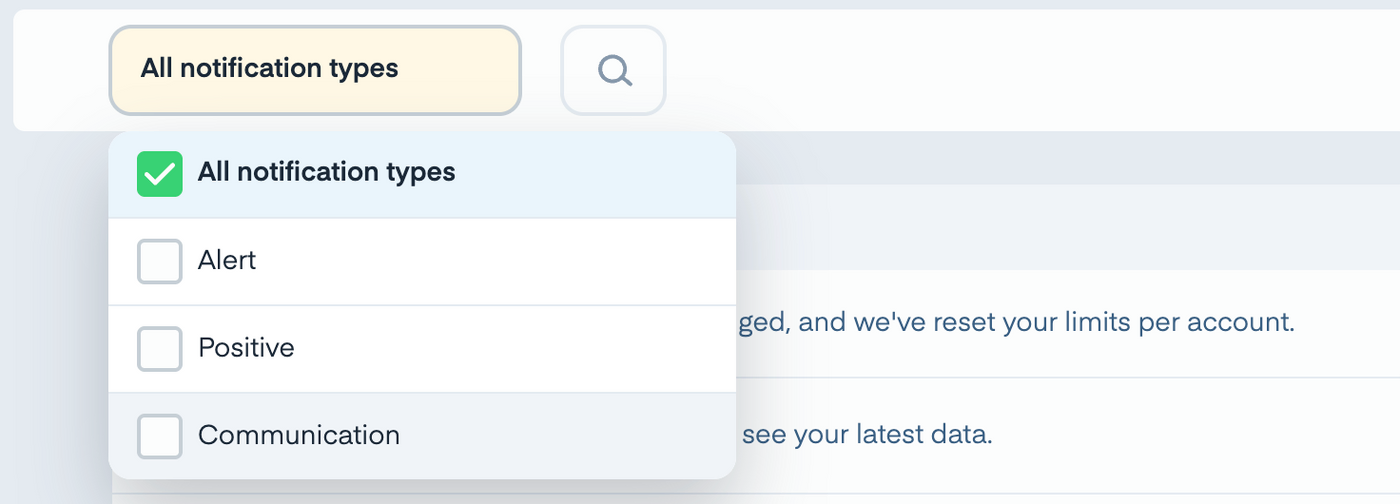
This quarter we rolled out a new notifications center with pop-ups, history, and other features to keep updates visible without cluttering your workspace.
Dashboard Templates make it easier than ever to keep your eyes on the prize 💻
Build a dashboard once, turn it into a template, and reuse it whenever you need for account or post group dashboards. You can share templates across your team to stay aligned, standardize reporting, and eliminate repetitive setup work.
With dashboard templates, you can:
- Save time by reusing dashboards instead of rebuilding them from scratch
- Stay aligned since templates are automatically shared with your team
- Scale reporting effortlessly as your team or clients grow
Less time building dashboards and more time focusing on insights that drive results.
Export social media reports to PowerPoint for more flexibility 🧘
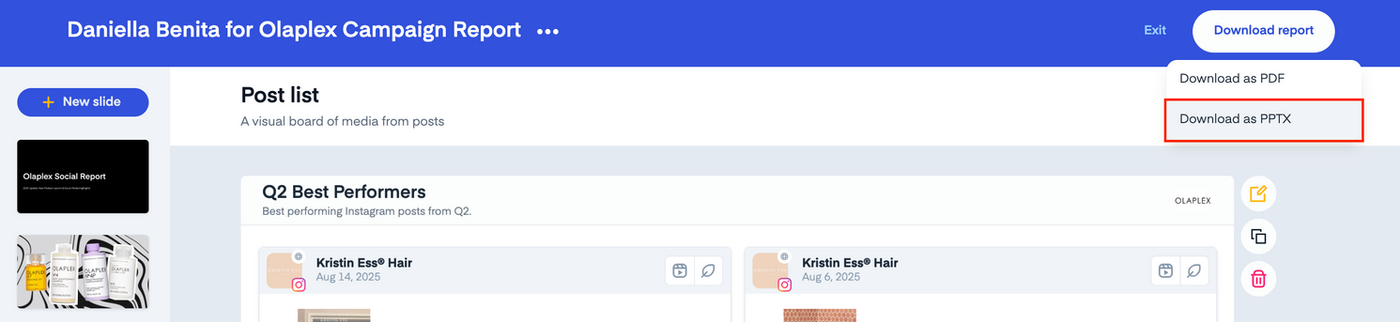
Social reports created in Measure Studio are now capable of being exported to fully editable .pptx files for customizable, brand-ready presentations.
You can use your exported slides for a variety of workflows, including:
- Client reports and internal reviews: incorporate performance insights into client decks, leadership updates, quarterly or annual reviews, and strategic planning sessions.
- Campaign summaries and postmortems: present results, learnings, and recommendations with customizable visuals.
- Design & creative workflows: upload the .pptx file into Canva or other design tools to extend your deck, apply brand elements, or integrate it into broader creative presentations.
This gives you greater flexibility to customize your presentations, adjust layouts, refine visuals, and apply you or your clients’ branding as needed.
Tag importing keeps classification, organization simple and consistent 🏷️
You can now bring your existing post tags from other systems directly into Measure Studio.
Pull all your tags into one place and maintain a consistent, unified tagging system across every platform you use.
Once imported, your tags will be automatically applied to the desired posts and can be used when filtering or building post groups.
Easily filter and find Collaboration content 🗂️
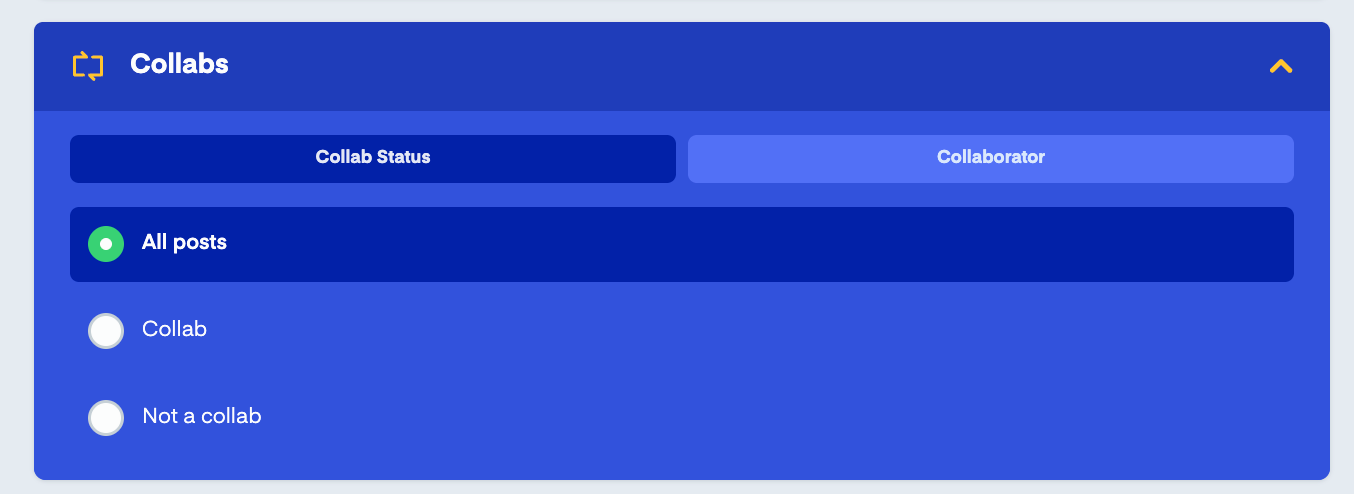
Quickly find and analyze Collab posts across Owned and Public accounts by filtering by post status or specific collaborators.
Use this filter to quickly search across all posts or set up auto-grouping to automatically group content with specific collabs.
It also makes it easier to surface and identify collab content and understand its true impact and performance.
Last but not least… new metrics! 📈
As always, we’ll wrap up with a batch of the new social media metrics we added to Measure Studio.
Here’s what’s new.
- TikTok Following Count
- Facebook Reach (restored)
- Facebook Organic Views
- Facebook Paid Views
- Facebook Follower Views
- Facebook Non-Follower Views
- Facebook Views – Total (account, post level)
- Facebook Views – Organic (account, post level)
- Facebook Views – Paid (account, post level)
- Facebook Views – Followers (account, post level)
- Facebook Views – Non-Followers (account, post level)
And with all that, we’re off to 2026. For a look at everything we added throughout 2025, be sure to check out our annual recap.
If you’re looking to stay updated on the latest releases from the social platforms themselves, subscribe to our Social Navigator newsletter.
Happy measuring!