What's New in Measure Studio: New Features and Updates from Q1 2026
- Measure Studio

- Apr 1
- 2 min read
Q1 was a big one for your friends here at Measure Studio.
Smarter admin controls, richer platform data, faster reporting, and a handful of features that have been a long time coming.
Here's a look at what's new so far in 2026.
Platform Expansion 🚀
Snapchat Public Profiles
Monitor Snapchat followers, reach, impressions, and engagement trends over time — all in Measure Studio. Content backfills up to 90 days on first connection.

Facebook Stories
Full post and account-level data for Facebook Stories, including reach, replies, reactions, sticker interactions, and paid vs. organic breakdowns.

Dashboards and Reports 🧑💻
Custom Fonts
Upload your own fonts and apply them to report titles, subtitles, and footers. Every report you share now matches your brand guidelines right out of the box.

Dashboard Templates
Build a dashboard once, turn it into a template, and reuse it whenever you need for account or post group dashboards.
Share templates across your team to stay aligned, standardize reporting, and eliminate repetitive setup work.
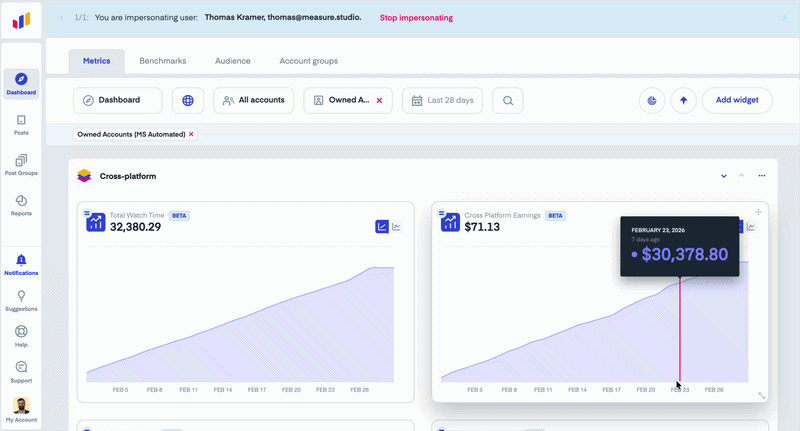
Targets in Reports
Display metric targets directly inside reports, giving stakeholders instant visibility into how performance tracks against goals.

Flexible Tile Positioning
Report tiles can now be moved to any position, giving you more structure and narrative flexibility — anchor visuals left, leave space for annotations on the right.

Period vs. Period Charts
Reports now include period-over-period comparison charts, making it easier to spot growth, dips, and momentum shifts at a glance.

Admin and Settings ⚙️
User Permission Templates
Create reusable permission templates with predefined access levels, then apply them instantly to new users. No more toggling the same settings every time someone joins the team.

Metric Visibility Controls
Admins can now customize which metrics appear across the platform, removing irrelevant data from both the UI and exports company-wide to keep workflows focused.

Social Account Types
Label each account as Owned, Competitor, Prospect, or Partner, so your team always knows exactly what they're looking at, at a glance.

New Metrics 📊
We added a meaningful set of new metrics this quarter across Instagram, Facebook, and TikTok, for both owned and public accounts.
Instagram (Owned)
Total Views (updated calculation)
Re-Posts (non-Stories)
Skip Rate (Reels)
Facebook (Owned)
Organic & Paid Views
Follower & Non-Follower Views
Engagement Rate — Views
Stories metrics
Facebook (Public)
Reels Views
TikTok (Owned)
Following Count
TikTok (Public)
Total Engagements
Engagement Rate
One quarter down, and Q2 is already in motion with what promises to be our biggest innovation of the year — follow along to see what's next.


Thanks for sharing these Q1 2026 updates! It's always great to see software continue evolving with new features, performance improvements, and workflow enhancements that help users work more efficiently. Regular updates not only improve usability but also ensure the platform stays aligned with changing user needs and industry trends. I also appreciate when applications offer a for pc experience that's optimized for productivity, making it easier to take full advantage of the latest tools and features.
Snapchat monitoring and 90-day content backfills are exactly what we’ve been waiting for—especially the Stories-level data. I’ve been using https://3dsearch.pro
Snapchat follower monitoring and 90-day content backfills are exactly what we've been waiting for — finally no more manual tracking. I've been using https://ai-for-animation.com
Snapchat follower monitoring and 90-day content backfills are exactly what we needed for cross-platform reporting—I've been using https://spheroz.com
Snapchat follower monitoring and 90-day content backfills are exactly what we needed for our reporting workflow. I've been using https://motion-control-ai.org