
What are the Best Types of LinkedIn Posts for Engagement?
Wondering which types of LinkedIn posts work best? Here are all the post types that actually drive engagement and when to use each one.
You don’t have to be in your boss era to know LinkedIn is the ultimate hotspot for corporate brain dumps.
What started as a humble job-search platform has gone through more makeovers than the Kardashians. Today, LinkedIn isn’t just the playground for B2B marketers and agencies, it is a buzzing social hub where individuals come to share, connect, and grow.
Why is LinkedIn so lucrative? Unlike other platforms that make you sweat over perfect graphics, viral dances, or flashy filters, LinkedIn keeps it simple.
It rewards leadership content, original ideas, bold opinions, and genuine stories that make people stop scrolling and start thinking. Here, your brainpower shines brighter than your Photoshop skills.
You don’t need a massive following to make waves. Even with a few hundred followers, if your content hits the right note, you can reach thousands. That kind of organic reach? Nearly impossible anywhere else.
That said, LinkedIn’s recent algorithm tweaks have everyone scratching their heads. Lengthy blog posts are becoming rare. Now, content usually comes paired with videos, images, or my personal favorite, GIFs.
So if you’re ready to jump into LinkedIn, it’s necessary to know the different types of LinkedIn content you can add to your mix. We’ll also explore their lifecycles and share some of our favorite brands and creators who absolutely nail each format.
Let’s get started!
Why does the lifespan of a LinkedIn post matter?
Ever wonder why some LinkedIn posts seem to pop up on your feed days or even weeks after they were posted? That’s the magic of a post’s lifespan, and trust me, it is a big deal.
A post with a longer lifespan means you don’t have to post every hour just to stay visible. You get way more bang for your buck and your content keeps working for you even when you are offline.
Knowing how long your posts stick around also gives you a peek behind LinkedIn’s algorithm curtain. Formats that last longer tend to get reshared, bumped into new feeds, and suggested to fresh eyes, free exposure you simply can’t buy.
Understanding post lifespan also helps you plan in advance. You’ll know when to post new content, when to repost your favorites, and when it’s time to switch gears entirely.
So, the lifespan isn’t just a boring technical detail, it’s your secret to getting noticed, building a following, and making your LinkedIn efforts truly pay off.
Read: What is LinkedIn Jail? Why Accounts Get Restricted (and How to Get Yours Back)
Are text posts still relevant on LinkedIn?
Yep, absolutely! While everyone is obsessed with carousels and clever memes, plain text posts still get the job done, just not for long.
Text posts on LinkedIn are your quick-hit brain dumps. Perfect for bold opinions, spicy takes, or sparking conversations without needing a designer on speed dial.
Whether you’re sharing a lesson learned, a lightbulb moment, or something a bit raw and unfiltered, text posts make it super easy to hit publish and get seen fast.
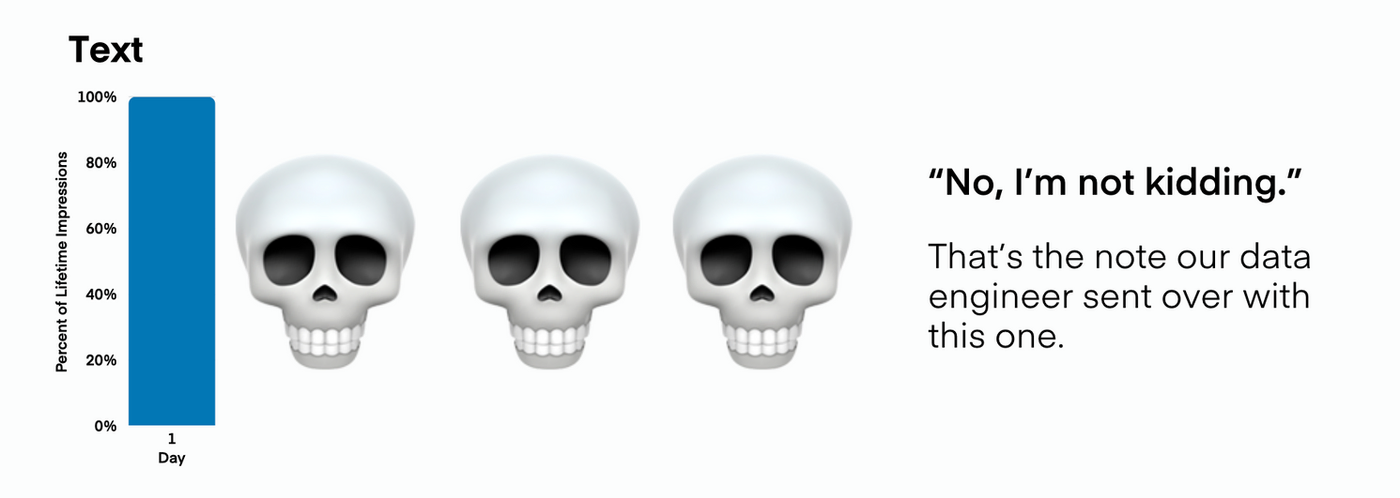
That skull on day one? Not just for drama. It’s where text content basically goes to die on LinkedIn. Most text posts rack up nearly all their impressions within 24 hours.
By day two, they’re basically ghosted by the feed. It’s not you, it’s the algorithm doing its thing.
Unlike videos or image posts that keep chugging along for 10 to 12 days, text posts flame out fast. But don’t let that scare you off! This short window can actually work in your favor if you’re smart about it.
Do you know HubSpot is crushing it on LinkedIn with mostly text-only posts? Here’s how they do it.
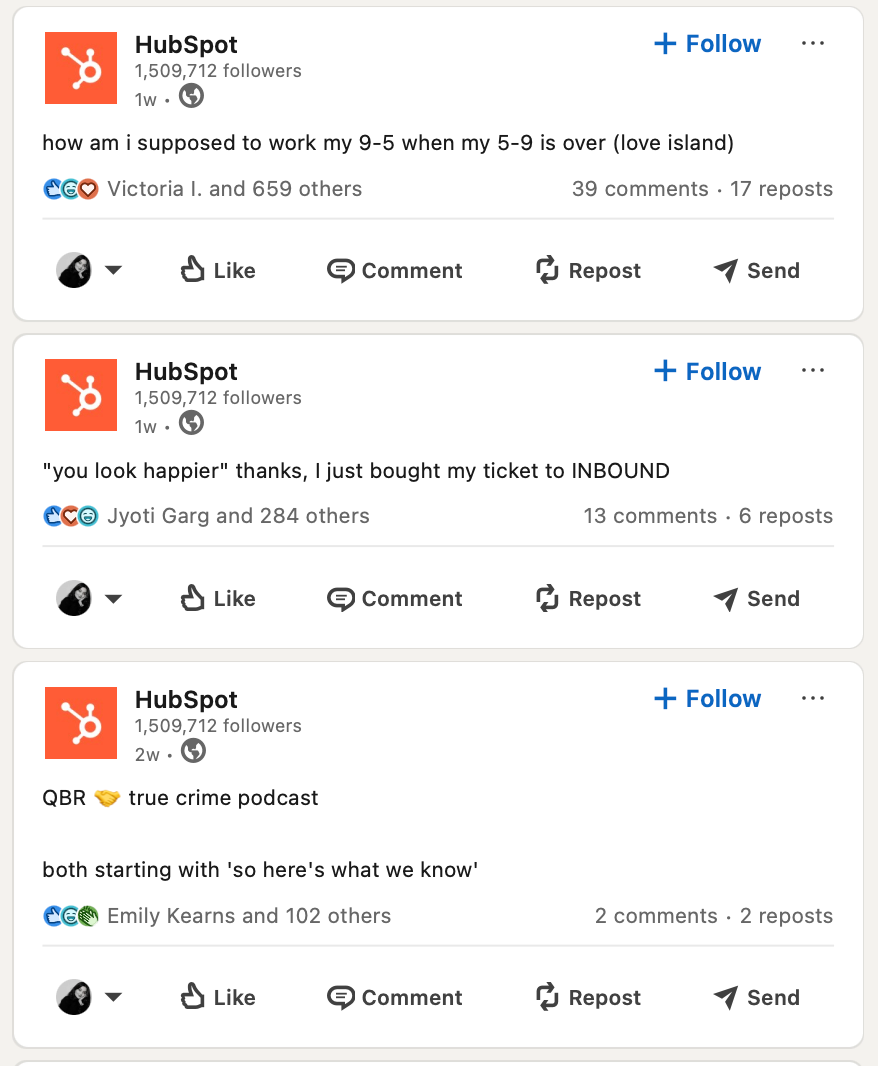
Their feed is packed with quick, witty text posts that feel personal, light, and totally scroll-stopping.
How they do it:
- They share sharp memes, relatable lines, and tips in simple, clean text form.
- Each post reads like a text from a colleague that is clear and easy to engage with.
- No over-the-top graphics or videos but just well-crafted words that speak directly to their audience’s needs and wins.
Why it works:
- Their text posts spark genuine conversations and invite meaningful comments.
- In a sea of pixel-perfect visuals, a relatable, no-frills text post feels like a breath of fresh air.
- They’re short and easy to consume, but hard to ignore.
Takeaway:
If your brand has something valuable to say and wants to connect without the hassle of fancy visuals, text posts are the way to go. Focus on clarity, relevance, and sparking conversations, and watch your engagement soar.
Do photo posts on LinkedIn have long lifespans?
Yep, you might cringe when you see a selfie or a screenshot on LinkedIn, but they work. Photos quietly hang out on feeds for days, even up to 12 days.
While your clever one-liner disappears in 24 hours, photo posts take their time. They age well like fine wine.
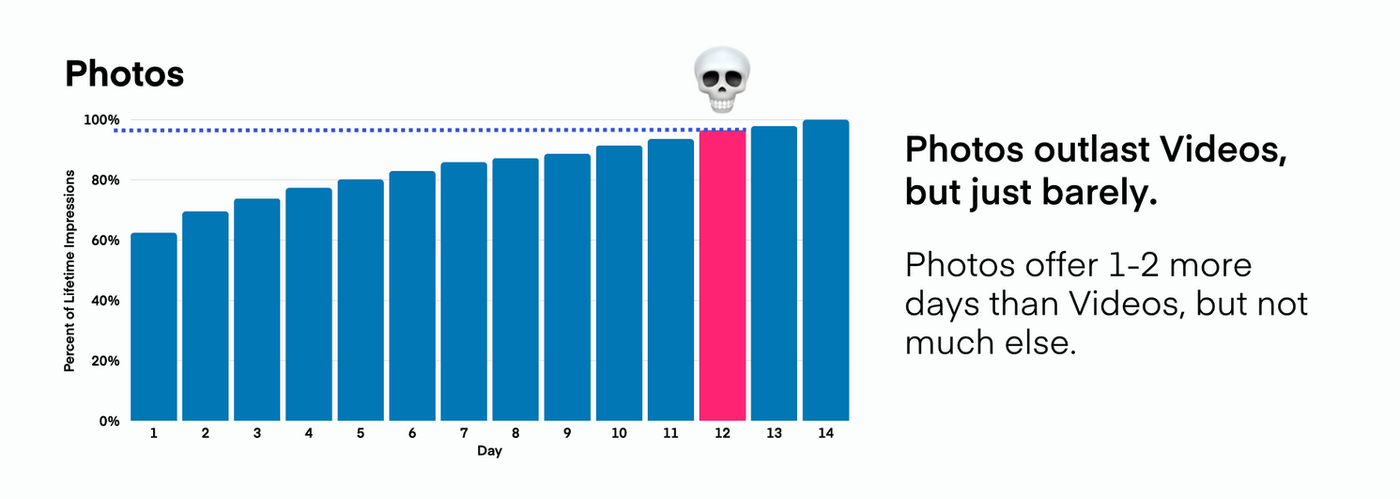
Most photo posts reach about 40–50% of their impressions on day one. But they don’t stop there. Over the next 10–12 days, they keep collecting views, comments, and reach.
Compared to text posts (which basically flatline by day two), photos give you a solid runway. That means more exposure, without having to post again the next morning.
They are the tortoise, not the hare. Whether you’re showing team culture, a milestone moment, or just dropping a visual stat bomb, photos slow people down while scrolling their LinkedIn feed.
You probably know Morning Brew for their punchy newsletter but have you seen how they are owning LinkedIn with bold, no-nonsense image posts?
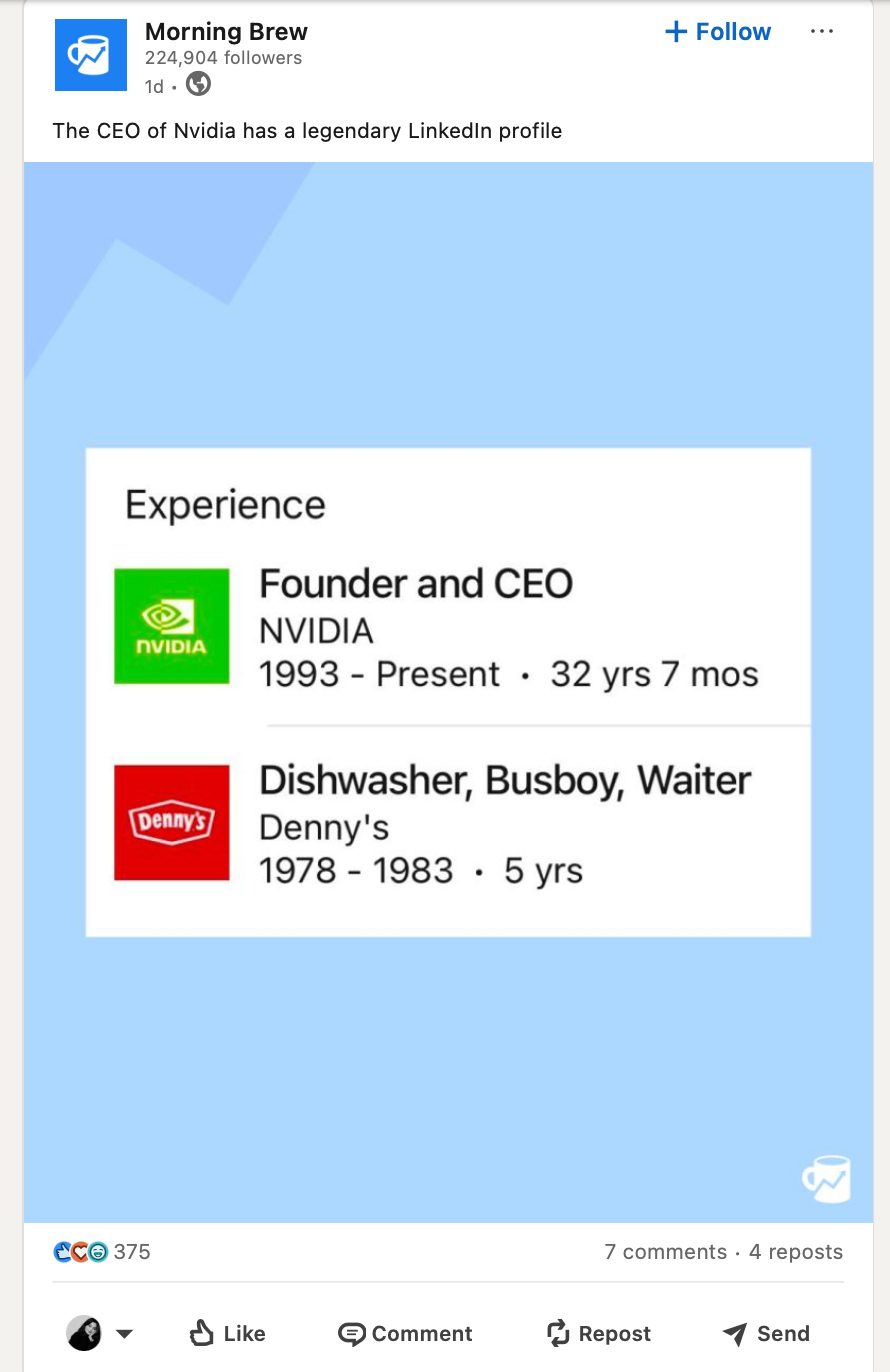
Morning Brew is casually stealing the spotlight with scroll-stopping visuals that are equal parts smart and snarky.
Here’s how they do it:
- Their feed is full of sharp screenshots, meme-style images, and witty graphic snippets pulled from culture, headlines, or their own newsletter.
- They overlay clever copy on top of newsy visuals, just enough to make you pause, laugh, or share it in your group chat.
- No fluff, no overdesign. Just clean, punchy visuals that get the point across in seconds.
Why it works:
- They speak their audience’s language, quick, clever, and just a little cheeky.
- In a feed full of long-winded thought pieces, their image posts are visual mic drops.
- It’s snackable, on-brand, and instantly recognizable, even without a logo.
Takeaway:
If your brand has personality and a sharp editorial voice, image posts are your playground. You don’t need heavy production, just a smart hook, strong POV, and visuals that say “we get it.” Screenshots, memes, or tweet-to-image formats can go a long way when done right.
Read: Which Types of TikTok Posts Should Brands Know in 2025?
Do videos wear the crown on LinkedIn?
Not like on other platforms, but they definitely know how to make an entrance.
LinkedIn videos aren’t about high-energy edits or slick transitions. The ones that perform best are face-to-camera, lo-fi, and deliver straight-up value.
A founder talking to their iPhone camera about a recent failure or a creator breaking down a concept in 60 seconds are the kind of video content LinkedIn loves.
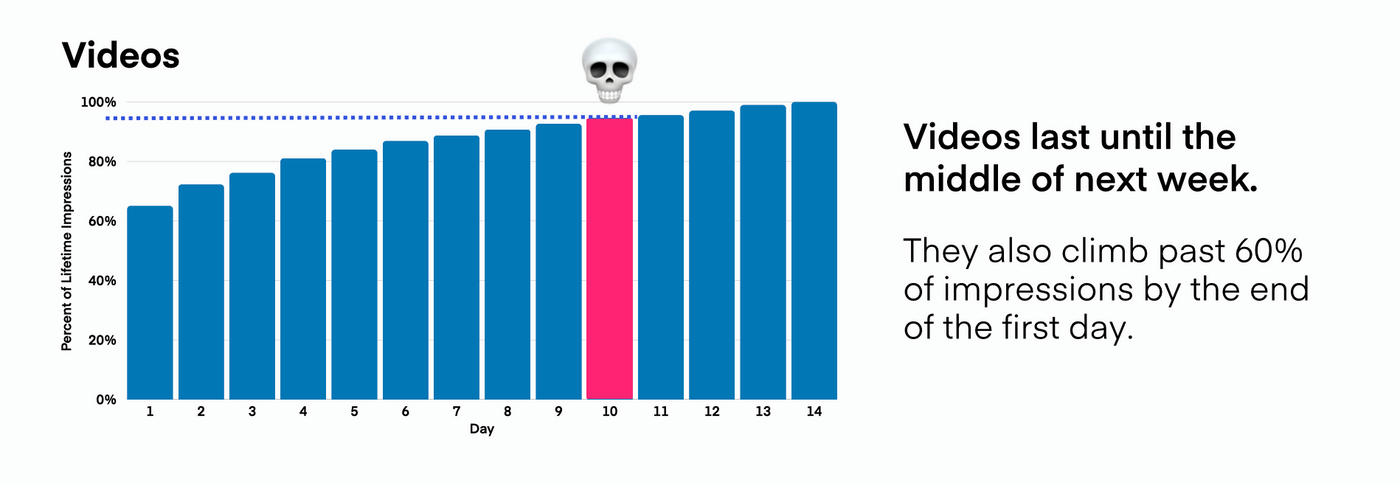
Videos keep delivering for up to 2 weeks or more. On average, they rack up 30–40% of their views on day one.
But instead of fading, they hit their stride between days 4 and 10. They typically reach 95% of their impressions in about 14–15 days.
That’s nearly 2x longer than photos and 10x longer than text.
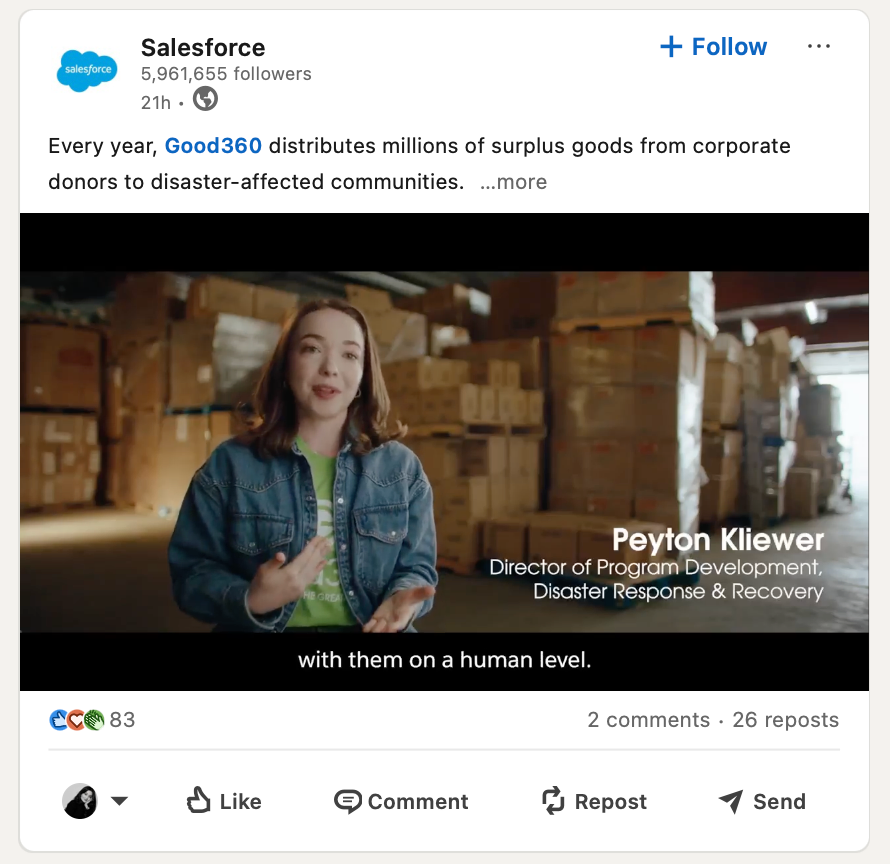
Salesforce keeps its LinkedIn company page clean, human, and purposeful. Their approach proves you don’t need to be a media company to make video content that connects, especially on a platform like LinkedIn, where authenticity trumps aesthetics.
How they do it:
- A mix of formats like expert interviews, thought leadership clips, brand storytelling, and behind-the-scenes culture content
- Keeps videos short and snackable (typically under 90 seconds)
- Almost always includes captions, perfect for sound-off viewing
- Features real employees, customers, and partners instead of stock actors
- Uploads directly to LinkedIn with a strong hook in the first 3 seconds
Why it works:
- Prioritizes value over vanity as each video teaches, inspires, or spotlights real success stories
- Builds credibility and trust by showing real people and authentic voices
- Videos feel native to LinkedIn: professional, but never stiff or overproduced
- Designed for the scroll with simple visuals, clear messaging, and great pacing
Takeaway:
Salesforce understands that on LinkedIn, connection wins over perfection. Their video strategy proves that when you focus on purpose-driven content (e.g., streamlining Salesforce deployments) and real people, you don’t need cinematic flair to make an impact. If your brand is looking to get into video, take a page from their playbook. Keep it short, keep it real, and lead with value.
Read: Which Types of Instagram Posts Work Best for Your Strategy?
What about the other LinkedIn post types?
1. PDF carousels
They may look like humble slides, but on LinkedIn? They are engagement gold. Carousels win by being scroll-stopping, swipe-worthy, and packed with value.
Whether it’s a five-step framework or a meme-filled moodboard, these posts feel like you’re flipping through someone’s brain in the best way.
They have a surprisingly long shelf life too. While text dies out in 24 hours, a great carousel can stay in circulation for 7–14 days.
Users actively swipe through these, which boosts dwell time and that signals to the algorithm that your content is worth pushing.
Gong turns sales tips into clean, sharp carousels with punchy slides, bright colors, and seriously good hooks. Their carousels don’t feel like lectures, they feel like cheat codes.
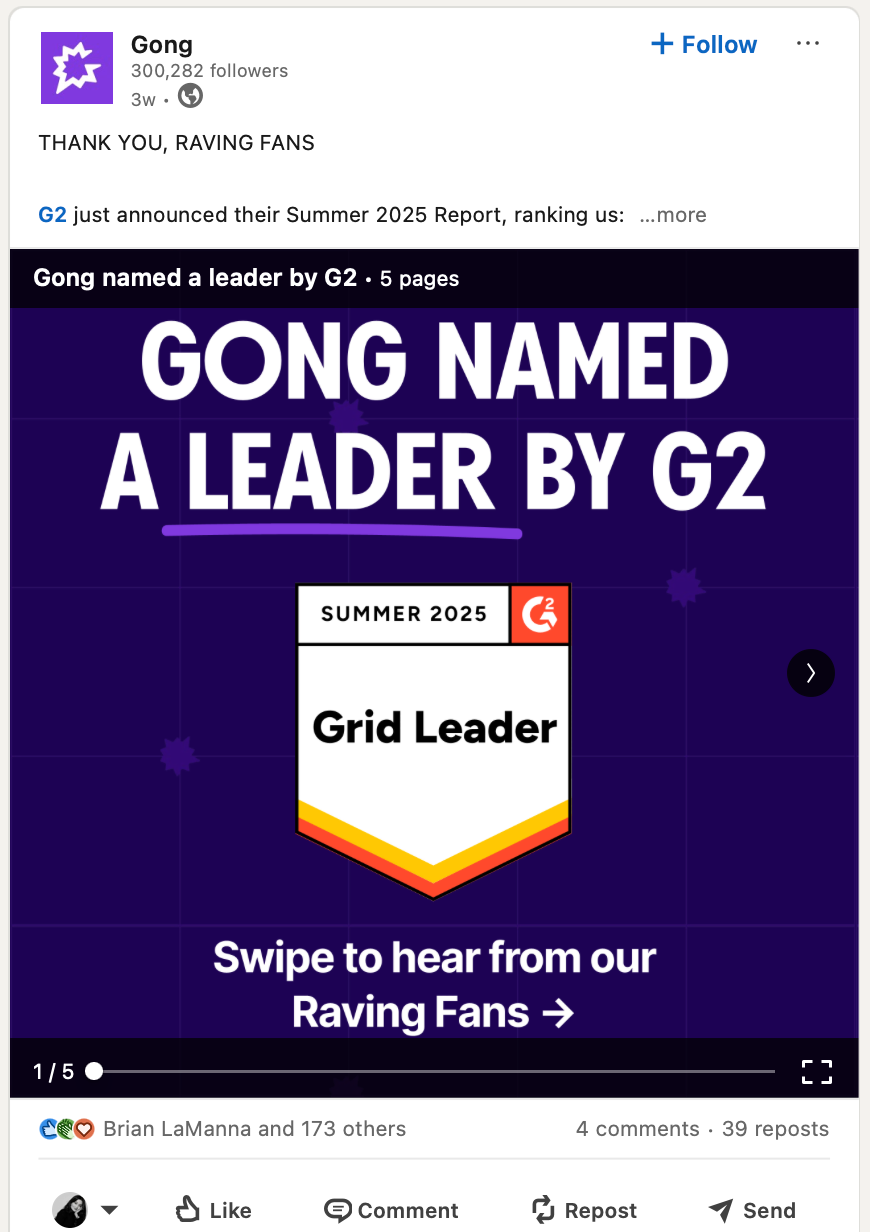
How they do it:
- Breaks sales advice into 5–7 actionable slides
- The first slide is a scroll-stopper (“3 cold call openers that actually work”)
- Uses bold colors, plain fonts, and zero fluff
- Ends with a CTA or a soft plug to drive further engagement
Why it works:
- Feels generous like you’re getting premium insights for free
- Quick, swipeable value is high retention
- Their tone is playful but pro, which fits LinkedIn’s vibe perfectly
2. Link posts
LinkedIn doesn’t love links that send users off-platform. But that doesn’t mean they are dead. You just have to play it smart.
Link posts are clutch when you’re driving traffic to a blog, product page, event, or resource. The secret is to make the caption carry value on its own so the link feels like a bonus.
Ahrefs regularly shares in-depth blog posts, but instead of dumping a URL, they turn the caption into a mini-lesson. The link feels earned.
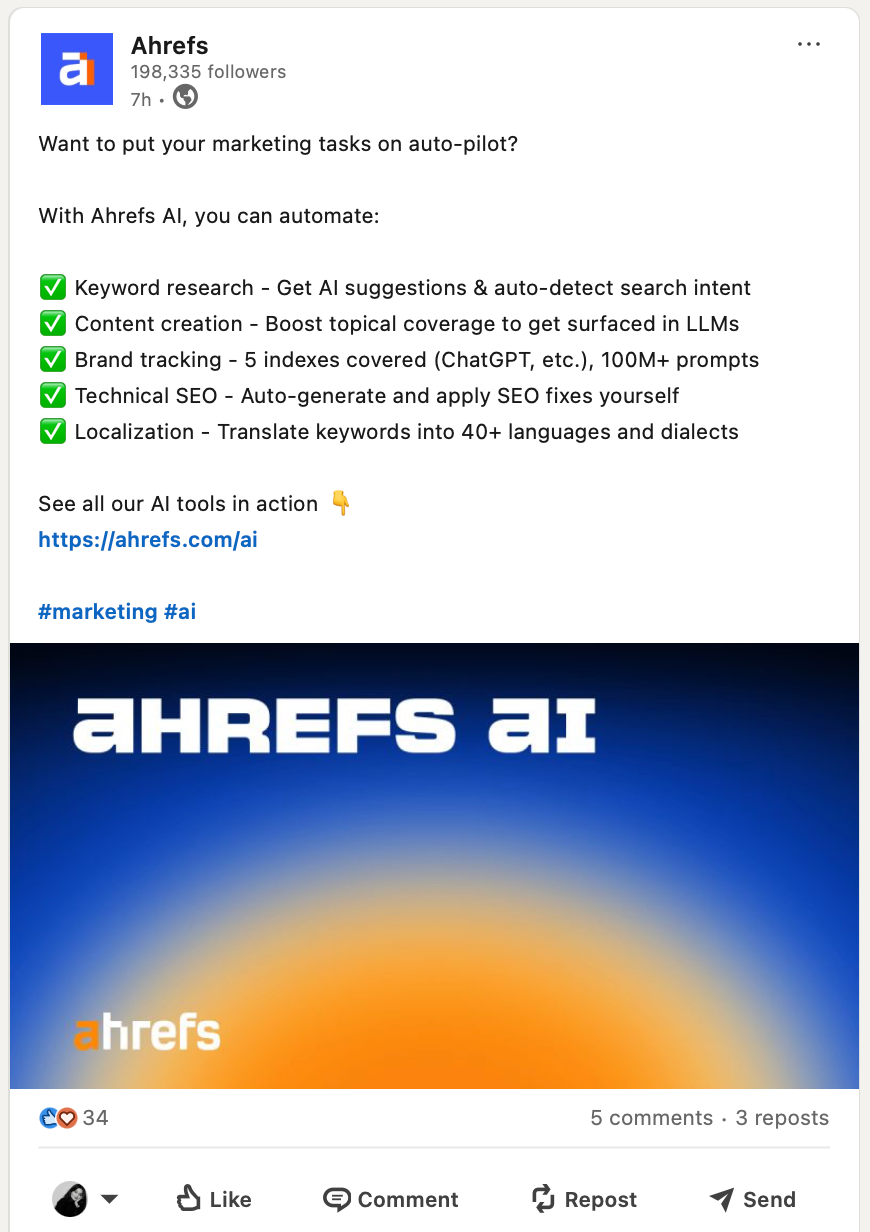
How they do it:
- Offers a taste of what’s inside
- Captions often read like a LinkedIn post offering a clear, snappy, standalone value
- Adds the link in either the body or the first comment (tests both!)
- Posts when the blog topic ties into trending convos
Why it works:
- The post is useful even if you don’t click
- Authority and education build high trust and higher clickthrough
- Great fit for LinkedIn’s knowledge-hungry audience
3. Quick polls
They are simple… and wildly effective. Polls aren’t just lazy engagement hacks, they’re smart tools for research, interaction, and surfacing juicy conversations.
They perform well for 3–5 days and work best when the question is something you would genuinely debate over coffee.
Dell’s LinkedIn polls routinely engage thousands of professionals. Their results show how polls can drive engagement and feel relevant to real-world work life.
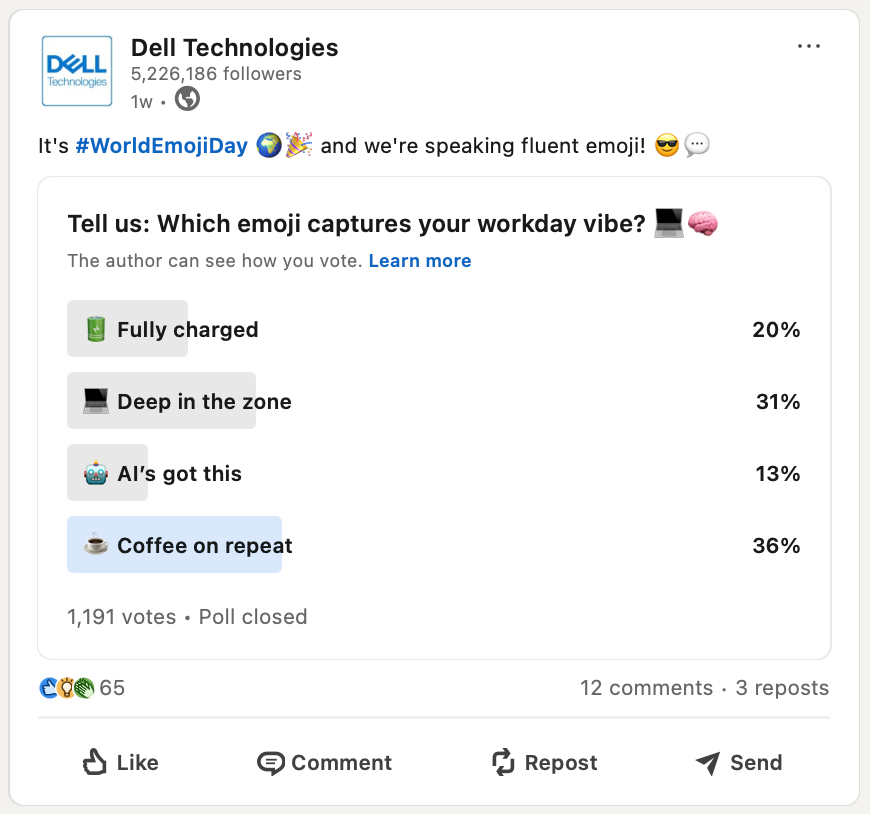
How they do it:
- Ask a timely, relevant question tied to work trends or tech pain points
- Keep options clear and relatable
- Add a caption encouraging commentary or follow-up (“Tell us why in the comments!”)
- Run the poll for several days to maximize reach and responses
Why it works:
- One-click interaction results in easy wins for people
- Voting activity shows in connections’ feeds, giving you free reach
- Drives comments naturally and often leads to follow-up conversation
- Polls can be instantly turned into follow-up content (results post, carousel, video)
4. Detailed newsletters & articles
For when you have a lot to say and want it to keep working. Newsletters are your long-form strategy.
They’re perfect for building credibility, growing your network and your subscriber base, all without leaving LinkedIn.
Unlike regular posts, these land in inboxes and are indexed in LinkedIn and Google search.
Measure Studio’s very own “Social Navigator” newsletter is the perfect example, where we share monthly social media updates with our followers so they don’t miss out on any.
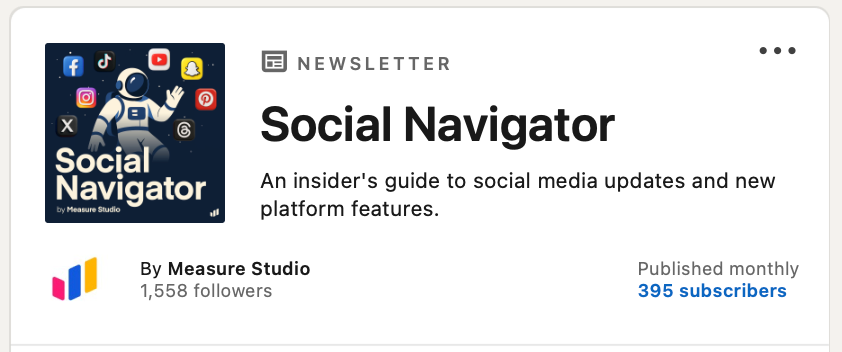
How they do it:
- It has a consistent, catchy theme and voice
- Each article is ~600–800 words, built for skim-reading
- Promotes each edition with a strong post and image carousel
Why it works:
- Subscribers get notified (built-in distribution boost)
- Perfect for building an owned audience inside LinkedIn
- Articles live longer, resurface later, and stack credibility over time
Read: Which Types of Instagram Posts Work Best for Your Strategy?
How can you identify top-performing LinkedIn posts?
Once you start posting with different combinations of post types on LinkedIn, use Measure Studio’s dashboard to sort by popular LinkedIn analytics like:
- Total engagement (likes + comments + shares)
- Engagement rate (super useful to compare posts with different reach)
- Impressions or views
- Click-through rates (for link posts)
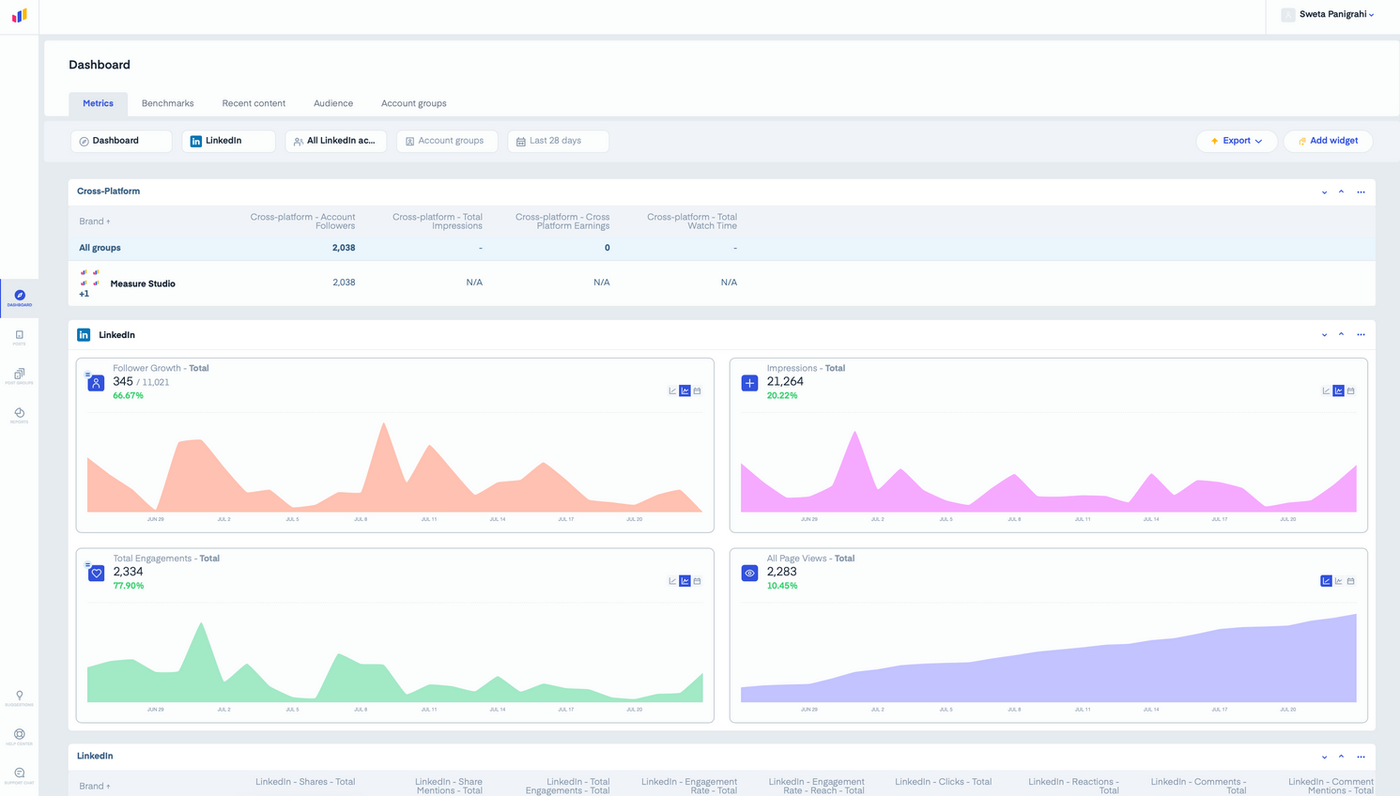
This lets you see what’s resonating, regardless of follower count or format. You can also create custom metrics.
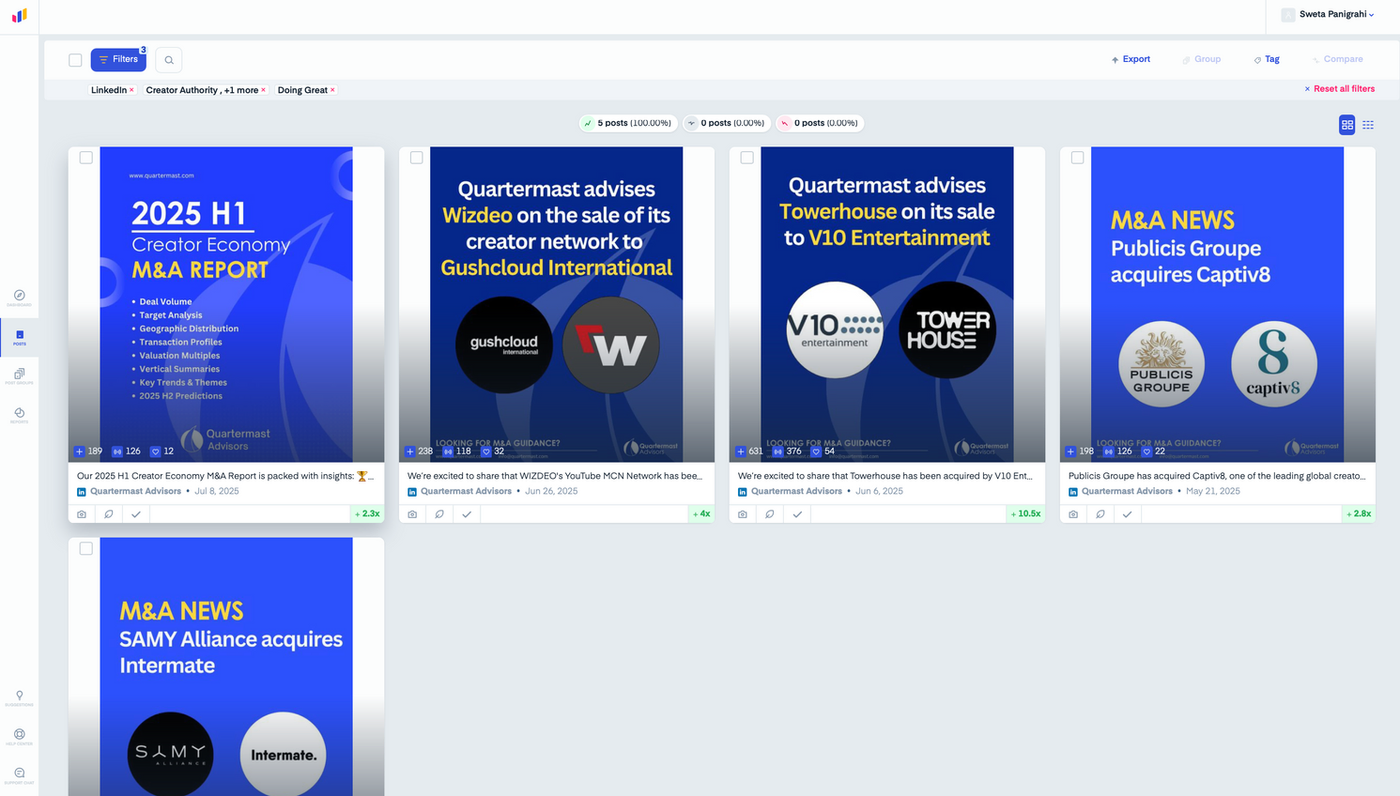
Pay attention if;
- Your carousels always overperform on Wednesdays (or whatever day)
- Polls spike engagement but fade faster
- Shorter videos get more views than longer ones
- Text-only posts get a ton of likes but low comments
These are undeniable signals for what kind of content you should double down on. You can find this under Posts and check your best, average, and can-be-improved shares.
You can group your posts by type (e.g., “carousel,” “video,” “announcement”) or by theme (e.g., “product tips,” “founder story,” “customer spotlight”). This makes it easy to compare formats side by side or see which topics are winning.
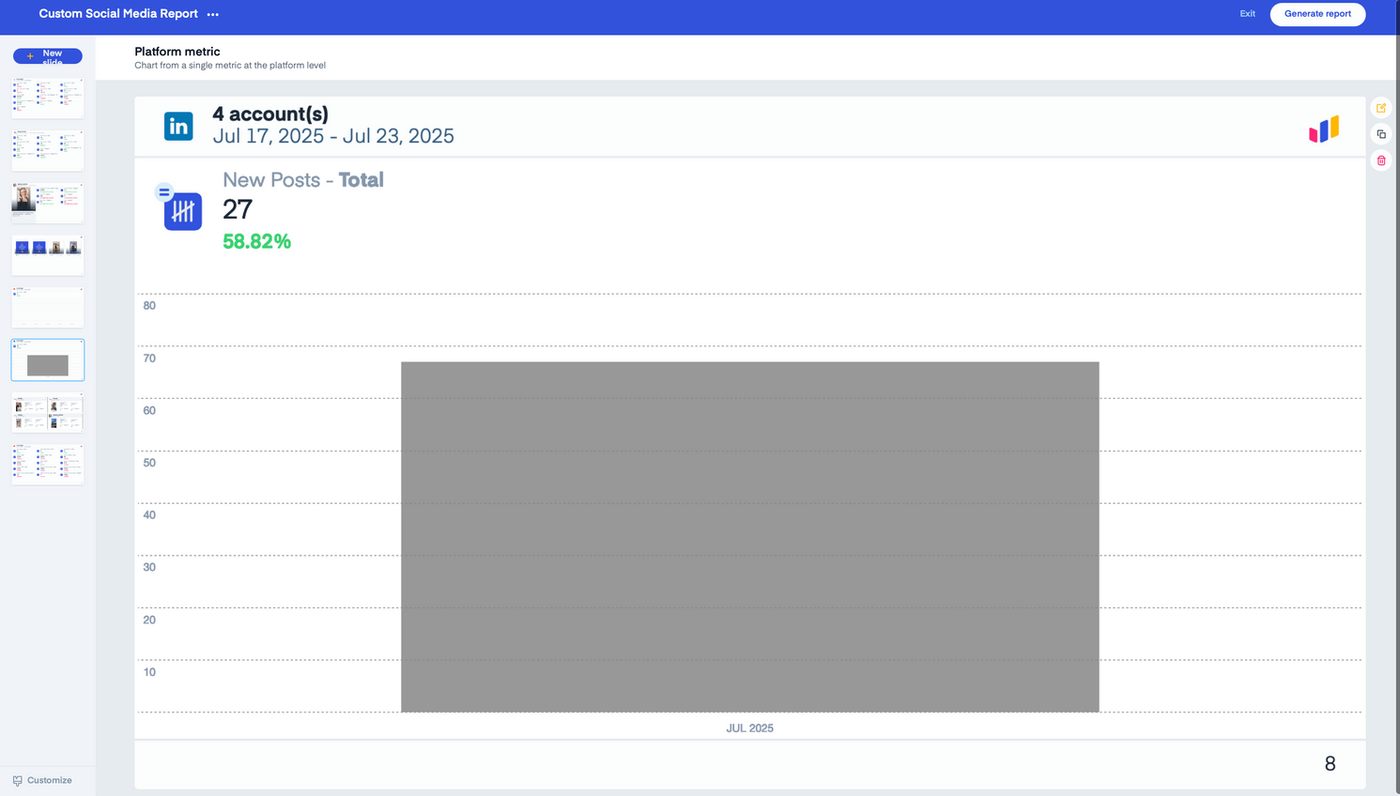
Measure Studio also lets you create custom reports so you can check trending data over days, weeks, or custom ranges. Understand which formats have longer lifespans and which burn out fast. No more wondering why your amazing post didn’t last past day two.
Wrapping up
LinkedIn isn’t just the land of job updates and humblebrags anymore. It’s a full-on content playground if you know how to play the game.
From quick text takes and spicy polls to binge-worthy carousels and snackable videos, there’s no “one way” to win. The magic happens when you test different formats, listen to what your audience vibes with, and show up consistently with content that doesn’t suck.
LinkedIn is a place where substance rules over style, and thoughtful content outperforms gimmicks. Whether you’re a total newbie or a seasoned pro, this platform gives you a golden stage to build your brand and say something that actually sticks.
You can’t grow what you can’t measure.
That’s why brands use Measure Studio to track exactly which posts are crushing it and which ones need to go back to content bootcamp. It helps you decode what’s working, format by format, post by post.
When tired of posting into the void and hoping for the best, go with Measure.
Get started with Measure Studio today.
Frequently Asked Questions
Which LinkedIn post format lasts the longest?
Video posts and PDF carousels (aka document posts) tend to have the longest lifespan on LinkedIn. On average, they continue gaining impressions for up to 10–14 days after publishing.
In contrast, text posts usually peak within the first 24–48 hours. If you are looking for content that keeps working long after it is published, video and carousel formats are your best bet.
Should I avoid link posts since LinkedIn doesn’t like them?
Not at all! Just don’t only rely on links. Give your caption its own standalone value like a mini blog post and let the link feel like a bonus, not a demand. Bonus tip: try dropping the link in the first comment and track which method works better.
How often should I post on LinkedIn to stay relevant?
Quality over quantity, always. But ideally, 2–3 posts per week is a solid rhythm to stay top of mind without burning out your audience (or yourself). Use different formats to keep things fresh and see what sticks.